
|
Do it yourself
| |||
| ||||


How to reset the tire pressure light in the Mazda 6?
Model: Mazda 6
MK 3, GJ
- Years 2012-2024
Resetting the tire pressure warning light in the Mazda 6, as we can see in this tutorial, is an extremely simple and quick operation. Before proceeding, we must have restored the correct pressure of each tire following the instructions in the manual. We start by going inside the car, then we insert the key and turn on the dashboard. We then locate the button representing the warning light in question, located in the left panel of the dashboard, and hold it down for the necessary time for the light to disappear from the dashboard. Finally, we restart the vehicle.
Posted on 20 August 2024 by ScegliAuto
Video tutorial
Related tutorials
Mazda 6
(2012-2024 /
MK 3, GJ)
The activation of the tire pressure warning light indicates a loss of pressure or a possible puncture on one or more tires; let's try to reset the wa…

Mazda 6
(2012-2024 /
MK 3, GJ)
In this tutorial, you will learn how to reset the tyre warning light on a Mazda 6, a very simple and quick operation to perform only after restoring …

Mazda 6
(2012-2024 /
MK 3, GJ)
.. In this tutorial, we can see how to reset the tire pressure light in the Mazda 6, an extremely simple and quick operation, to be done.. …
Other guides you may be interested in
|
How to Replace the Front Brake Pads on an Alfa Romeo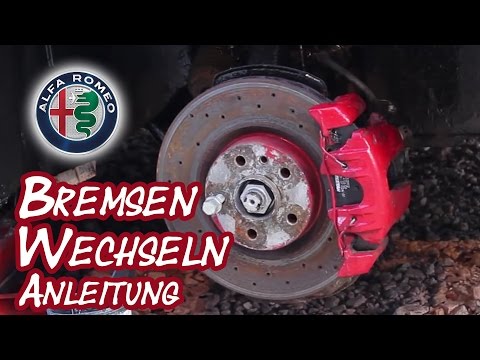
Here’s how to replace the front brake pads on an Alfa Romeo. Lift the car on a column lift (jack) to the desired height, then remove the wheel (using a socket wrench or air impact gun) with the respective bolts. Unscrew the caliper retaining bolt and remove the caliper from the wheel hub. Use a screwdriver to detach the pads from the caliper, then remove the brake caliper. Fit the new pads onto the caliper; then refit the caliper onto the brake disc. Tighten all bolts and refit the wheel. Repeat the same steps for the other calipers on the vehicle. by ScegliAuto More videos
|

|
For advertising on this site Write to info@scegliauto.com
ScegliAuto is not responsible for any inaccuracy of the data in the lists. To report any inaccuracy or your business (if you own the business in question), please write to info@scegliauto.com
Number of seconds to generate the page: 0.115
(c) ScegliAuto 2026 - info@scegliauto.com - Privacy policy VAT number: IT01247470535 |
