
|
Do it yourself
| |||
| ||||


How do you reset the Service indicator light on the Mazda 2?
Model: Mazda 2
DJ, MK 3
- Years 2014-2023
It is possible to completely delete the Service light shown on the Mazda 2 instrument panel by turning on the instrument panel, so that you can navigate through the menu on the central display of the dashboard. Here you will need to choose the icon on the left, which is the "Applications" option: the last option in the menu will be the "Maintenance" option, next to the wrench icon. By selecting this option, another menu will be displayed, in which there will be the "Reset" option: by selecting it, you can confirm the selection by choosing "Yes", so that the Service light disappears from the instrument panel.
Posted on 19 July 2025 by ScegliAuto
Video tutorial
Related tutorials
Mazda 2
(2014-2023 /
DJ, MK 3)
To reset the Service light of the Mazda 2, you need to turn on the instrument panel so that you can navigate through the menu that will be displayed …

Mazda 2
(2007-2014 /
MK 2, DH, DE)
If you need to manually reset the service indicator light on your Mazda 2, all you have to do is pay attention to the following steps and then put th…

Mazda 2
(2014-2023 /
DJ, MK 3)
To manually reset the service light on the instrument panel of your Mazda 2, you need just a few seconds. Below we explain the steps you need to foll…
Other guides you may be interested in
|
How to Remove the Fuel Pump from the Tank on an Opel Astra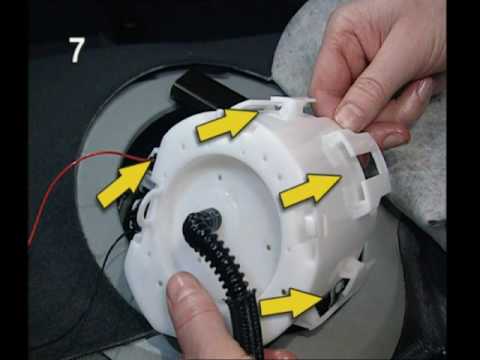
How to remove the fuel pump from the tank on an Opel Astra? First, disconnect the battery cables. Next, remove the rear seat cushions from the car. Use a socket spanner to unscrew the securing screws of the metal cap (located on the metal panel), then remove it from its seat. Use absorbent paper around the perimeter to soak up any liquid leaks. Unscrew the large securing bolt of the fuel pump (if present on the model), disconnect the power connectors and the liquid circulation pipes. Extract the floating fuel pump from its seat along with any attached parts. Finally, refit a new piece. by ScegliAuto More videos
|

|
For advertising on this site Write to info@scegliauto.com
ScegliAuto is not responsible for any inaccuracy of the data in the lists. To report any inaccuracy or your business (if you own the business in question), please write to info@scegliauto.com
Number of seconds to generate the page: 0.050
(c) ScegliAuto 2026 - info@scegliauto.com - Privacy policy VAT number: IT01247470535 |
