
|
Do it yourself
| |||
| ||||


How to reset the service in the Mazda 3?
Model: Mazda 3
MK 3, BN, BM
- Years 2013-2019
In this tutorial, we will see how to reset the service light on the Mazda 3, an operation that is extremely simple and quick, to be done only after completing all scheduled maintenance tasks. First, let's go inside the cabin, then insert the key and turn on the instrument panel. Next, we access the general menu on the central display, go to "Applications," "Vehicle Status Monitor," "Maintenance," select the service to reset, and perform the reset using the appropriate option. To complete the procedure, simply restart the vehicle.
Posted on 10 December 2025 by ScegliAuto
Video tutorial
Related tutorials
Mazda 3
(2013-2019 /
MK 3, BN, BM)
In this tutorial, we will see how to reset the service indicator in the Mazda 3, a very simple and quick operation that should be done only after com…

Mazda 3
(2019-2026 /
MK 4, BP)
Today we will discover the instructions that will allow us to reset the service light for the regular maintenance of the engine oil change of the Maz…

Mazda 3
(2013-2019 /
MK 3, BN, BM)
.. In this tutorial we can see how to reset the service in the Mazda 3, an extremely simple and quick operation, to be carried out only.. …
Other guides you may be interested in
|
How to Replace the Battery on a Honda Vision 110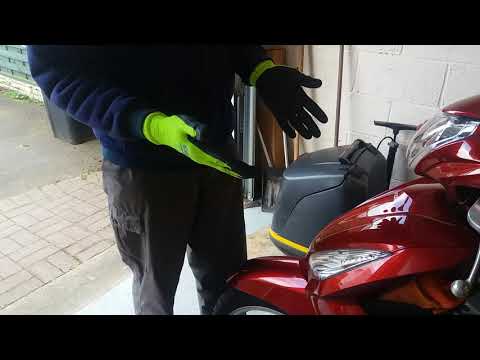
To replace the battery on a Honda Vision 110, you need to remove the front fairing of the motorcycle, located directly under the front headlamp. To loosen this panel, unscrew the two screws found at its top, just below the handlebar. Once these screws are loosened, lever under the panel to detach it, gaining access to the battery underneath: this battery must be removed from its housing by unscrewing the fixing screws and disconnecting the power cables, replacing it with a new one. by ScegliAuto More videos
|

|
For advertising on this site Write to info@scegliauto.com
ScegliAuto is not responsible for any inaccuracy of the data in the lists. To report any inaccuracy or your business (if you own the business in question), please write to info@scegliauto.com
Number of seconds to generate the page: 0.520
(c) ScegliAuto 2026 - info@scegliauto.com - Privacy policy VAT number: IT01247470535 |
