
|
Do it yourself
| |||
| ||||


How do I reset the Mazda 2 Service light?
Model: Mazda 2
MK 3, DJ
- Years 2014-2023
In order to reset the Mazda 2 Service warning light, you have to go to turn on the instrument panel, so that you can move to the menu on the central dashboard display. Here it will be necessary to select the icon on the left, that is the item "Applications": the last item of this menu will be the item "Maintenance", with the wrench icon next to it. Selecting this item will open another menu, where the "Reset" item will be present: selecting it will confirm the item by choosing "Yes", so that the Service warning light disappears from the instrument panel, also resetting the maintenance interval.
Posted on 15 October 2022 by ScegliAuto
Video tutorial
Related tutorials
Mazda 2
(2014-2023 /
MK 3, DJ)
To reset the Service light of the Mazda 2, you need to turn on the instrument panel so that you can navigate through the menu that will be displayed …

Mazda 2
(2007-2014 /
MK 2, DE, DH)
If you need to manually reset the service indicator light on your Mazda 2, all you have to do is pay attention to the following steps and then put th…

Mazda 2
(2002-2007 /
DY, MK 1)
Today we will explain how to reset the service light related to the oil change on a Mazda 2 MK 1 model vehicle. To reset the light, we need to get in…
Other guides you may be interested in
|
How to Fold Down the Rear Seats of a Renault Grand Scenic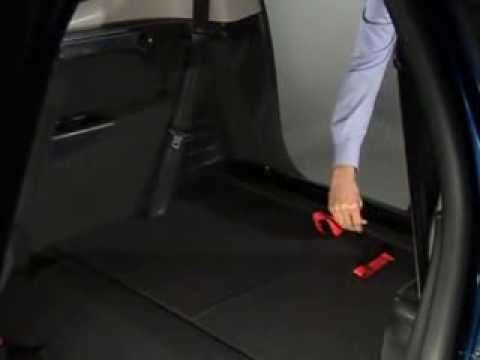
Learn how to fold down the rear seats of a Renault Grand Scenic to create space in the boot. First, press the strap located on the seat back, then fold the backrest forward: let it rest on the seat base. Repeat the same operations on the other rear seats (unless the seat is a single piece and cannot be split) by performing the previously mentioned manoeuvres. If you want to fold down the front seat for additional space, press the lever next to the seat and lower it until it rests on the seat base. Install the curtain inside the boot. by ScegliAuto More videos
|

|
For advertising on this site Write to info@scegliauto.com
ScegliAuto is not responsible for any inaccuracy of the data in the lists. To report any inaccuracy or your business (if you own the business in question), please write to info@scegliauto.com
Number of seconds to generate the page: 0.153
(c) ScegliAuto 2026 - info@scegliauto.com - Privacy policy VAT number: IT01247470535 |
