
|
Do it yourself
| |||
| ||||


How to reset the Mazda CX-5 oil change warning light
Model: Mazda CX-5
MK 2
- Years 2017-2024
For this guide we will see how to reset the oil change warning light for the Mazda CX-5, late series. To proceed, carry out the following steps in order: 1. Activate the instrument panel by pressing the Power button twice; 2. Use the large central button at the bottom of the infotainment system, on the driver's side, to scroll through the items inside; 3. Select Applications by first clicking on the Home button; 4. Confirm your choice with the central button and move to Vehicle Status; 5. Confirm your choice and move to Maintenance; 6. Confirm the choice and select oil change; 7. Confirm your choice again, select Reset and confirm one last time with the central button.
Posted on 25 March 2023 by ScegliAuto
Video tutorial
Related tutorials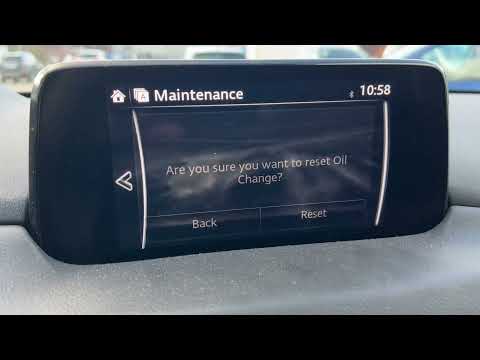
Mazda CX-5
(2017-2024 /
MK 2)
In this new guide dedicated to all of you owners of a Mazda CX 5 we will find out how to reset the oil warning light quickly and completely manually.…

Mazda CX-5
(2017-2024 /
MK 2)
To reset the oil light, after performing an oil change on the 2023 Mazda CX 5, we need to turn on the instrument panel and select the "information" o…

Mazda CX-5
(2012-2017 /
KE, MK 1)
The guide shows you how to reset the engine oil and maintenance warning light on the Mazda CX5. The first step is to turn on the instrument panel by …
Other guides you may be interested in |
How to Remove the High-Pressure Fuel Pump on VW Golf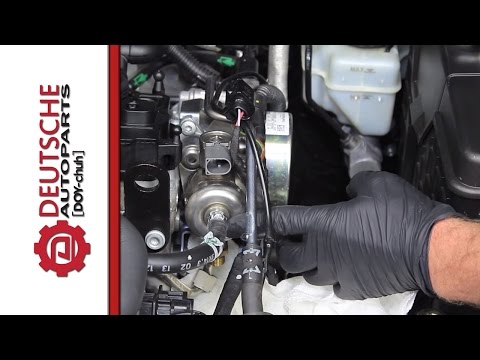
In this video, learn how to remove the high-pressure fuel pump on the Volkswagen Golf. Lift the bonnet and secure it, then remove the engine soundproofing panel. Using a screwdriver, unscrew the locking pins of the ventilation pipe and remove the piece from the engine bay. Start removing the fastening pins of the pump as shown in the video. Once the piece is detached from its seat, disconnect the clip present on it. Finally, refit the high-pressure fuel pump in the engine bay, along with the intake pipe and the soundproofing panel. by ScegliAuto More videos
|
|
For advertising on this site Write to info@scegliauto.com
ScegliAuto is not responsible for any inaccuracy of the data in the lists. To report any inaccuracy or your business (if you own the business in question), please write to info@scegliauto.com
Number of seconds to generate the page: 0.043
(c) ScegliAuto 2026 - info@scegliauto.com - Privacy policy VAT number: IT01247470535 |
