
|
Do it yourself
| |||
| ||||


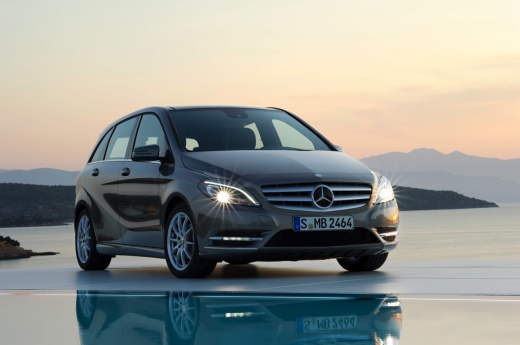
How to deactivate the airbag light on the Mercedes B-Class
Model: Mercedes Classe B
MK 2, W246
- Years:
2011, 2012, 2013, 2014, 2015, 2016, 2017, 2018, 2019
Video tutorial
Today we will discover the instructions that will allow us to reset the malfunction indicator light of the airbag in the Mercedes Class B. In order to reset the airbag indicator light, it is necessary to use a specific diagnostic software to connect to the OBD port; select the brand and model of the vehicle to allow communication with the engine control unit, turning on the instrument panel. After solving the problem related to the airbag indicator light, it will be possible to reset the airbag malfunction warning from the instrument panel.
Posted on 5 April 2025 by ScegliAuto
Related tutorials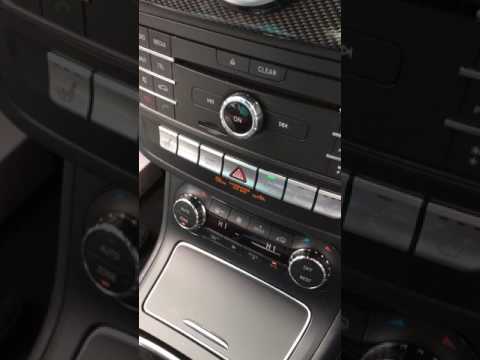
Mercedes Classe B
(2011-2019 /
MK 2, W246)
.. deactivate the passenger airbag in a Mercedes Class B, as well as in the Class A. First, get in the vehicle and turn on the ignition; this will cause.. …

Mercedes Classe B
(2011-2019 /
MK 2, W246)
.. of the front passenger airbag of the Mercedes Class B. The front passenger airbag is in fact activated and deactivated automatically depending on the.. …
Mercedes Classe B
(2011-2019 /
MK 2, W246)
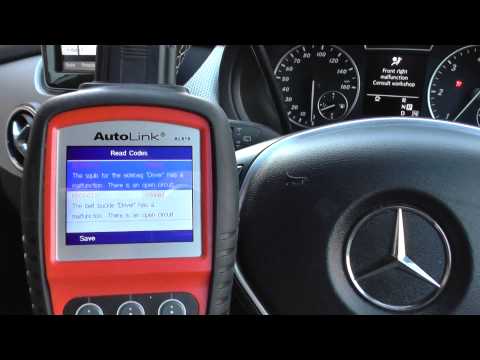
.. warning light for the airbag on the Mercedes Class B. First, get in the vehicle and connect your diagnostic tool to the OBD port; then turn on the.. …
Other guides you may be interested in
|
Frequently Asked QuestionsHow to Enter the Unlock Code for the Radio in the Nissan Micra?
In this tutorial, you will see how to enter the unlock code for the radio in the Nissan Micra, a very simple operation to perform in case of memory loss after replacing the battery. The code can be found in the documents provided at purchase or through one of the various online recovery services. First, turn on the instrument panel, then repeatedly press the "1" button until you reach the first digit of the code. Follow the same logic to enter the remaining 3 digits using the "2", "3", and "4" buttons, and confirm the entry with the up arrow button. by ScegliAuto More videos
|
|
For advertising on this site Write to info@scegliauto.com
ScegliAuto is not responsible for any inaccuracy of the data in the lists. To report any inaccuracy or your business (if you own the business in question), please write to info@scegliauto.com
Number of seconds to generate the page: 0.157
(c) ScegliAuto 2026 - info@scegliauto.com - Privacy policy VAT number: IT01247470535 |
