
|
Do it yourself
| |||
| ||||



How to Reset the Tyre Pressure on a Mercedes GLA 180
Model: Mercedes Gla
MK 2, H247
- Years 2020-2026
Video tutorial
Detailed instructions - To reset the tyre pressure warning light on a Mercedes GLA 180, the procedure is performed from the instrument cluster menu. A warning message regarding the pressure will appear on the display. Use the arrows on the steering wheel to scroll through the menu until you reach Settings. Once in, select Tyre Pressure. At this point, press and hold the OK button for a few seconds. The system confirms the reset and the warning light will turn off. Before performing the reset, ensure that all tyres are inflated to the correct pressure indicated on the label on the driver's door frame. The reset must be done with the vehicle stationary and the ignition on. After confirmation, the system stores the new values as a reference.
Posted on 6 October 2026 by ScegliAuto
Related tutorials
Mercedes Gla
(2020-2026 /
MK 2, H247)
In this video, we see how to reset the tire pressure on a Mercedes GLA 200: if with the engine running we see the yellow tire warning light with an e…
Mercedes Gla
(2013-2019 /
MK 1, W156)
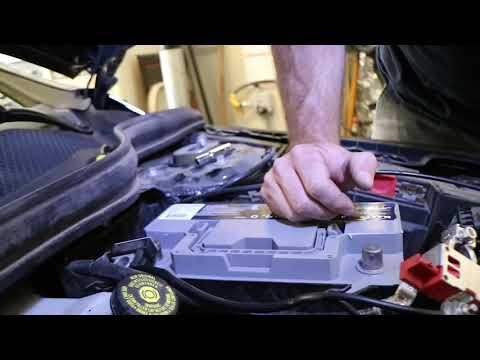
Before you begin, open the front bonnet of your Mercedes GLA 180. Start by unclipping and removing the upper battery cover. Next, unclip and remove t…

Mercedes Gla
(2013-2019 /
MK 1, W156)
To reset the tyre pressure light on a Mercedes GLA, you need to turn on the instrument panel, navigating through the options that appear on the displ…
Other guides you may be interested in
|
How to Adjust the Time on a Toyota Yaris Cross Hybrid
In this article, you will learn how to adjust the time on the display of a Toyota Yaris Cross Hybrid. The procedure is simple and quick, taking less than 1 minute to complete. To adjust the time, start the display without starting the engine, then scroll through the menu using the right arrow button until you reach the settings. The first option is for the time; select it by pressing OK. Then, use the right or left arrow buttons to select hours or minutes, and use the up and down arrow buttons to adjust the hours and minutes. Once the time is set, press OK to confirm. by ScegliAuto More videos
|
|
For advertising on this site Write to info@scegliauto.com
ScegliAuto is not responsible for any inaccuracy of the data in the lists. To report any inaccuracy or your business (if you own the business in question), please write to info@scegliauto.com
Number of seconds to generate the page: 0.071
(c) ScegliAuto 2026 - info@scegliauto.com - Privacy policy VAT number: IT01247470535 |
