
|
Do it yourself
| |||
| ||||


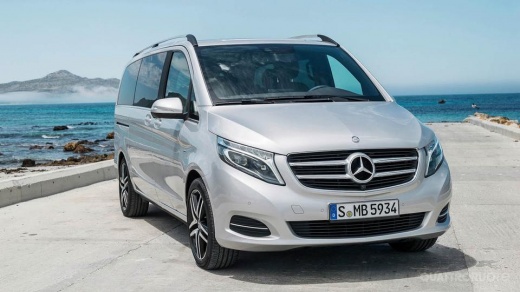
How to Reset the Tyre Warning Light on the Mercedes Viano Van?
Model: Mercedes Classe V
- Years:
2014, 2015, 2016, 2017, 2018, 2019, 2020, 2021, 2022, 2023, 2024, 2025
Video tutorial
In this tutorial, you will see how to reset the tyre warning light on the Mercedes Viano van, a very simple and quick operation to perform only after restoring the correct pressure in each tyre as indicated in the manual. First, enter the cabin, then insert the key and turn on the ignition. Next, access the general menu using the appropriate button on the steering wheel, go to "Maintenance", "Tyre pressure", scroll down the screen and perform the reset by pressing the "OK" button.
Posted on 31 October 2026 by ScegliAuto
Related tutorials
Mercedes Classe V
(2014-2026 /
W447, MK 3)
In this tutorial, we can see how to reset the tire pressure warning light in the Mercedes V-Class van, an extremely simple and quick operation, to be…

Mercedes Classe V
(2014-2026 /
W447, MK 3)
In this tutorial, we can see how to reset the tire pressure warning light in the Mercedes V-Class van, an extremely simple and quick operation, to be…

Mercedes Classe V
(2014-2026 /
W447, MK 3)
If the AdBlue warning light has turned on in the instrument panel of our Mercedes Classe V van, it means that the liquid of the anti-pollution system…
Other guides you may be interested in
|
How to Fix Code 84 Issue on the Chevrolet Cruze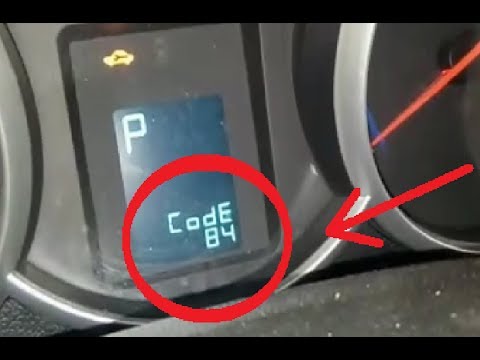
In this video, you will see how to resolve the Code 84 issue when it appears on the instrument panel of the Chevrolet Cruze. The YouTuber uses an OBDII scanner connected to the EOBD port to correctly decode the error, which relates to the accelerator pedal that does not respond during engine acceleration. The solution is to check the throttle body, which helps send fuel to accelerate the vehicle; it was indeed damaged, and once replaced, the error code is cleared, allowing the vehicle to accelerate normally again. by ScegliAuto More videos
|
|
For advertising on this site Write to info@scegliauto.com
ScegliAuto is not responsible for any inaccuracy of the data in the lists. To report any inaccuracy or your business (if you own the business in question), please write to info@scegliauto.com
Number of seconds to generate the page: 0.071
(c) ScegliAuto 2026 - info@scegliauto.com - Privacy policy VAT number: IT01247470535 |
