
|
Do it yourself
| |||
| ||||


Resetting the Tire Pressure Light on the MG 5
Model: MG 5
MK 2
- Years 2020-2026
Today, you will learn how to reset the tire pressure light on the instrument cluster of the MG 5. Before resetting the TPMS sensors, ensure all four tires are at the proper operating pressure. Then, get in the vehicle and turn on the ignition. Navigate to the tire pressure monitor and confirm that the pressures are set correctly on all four tires. This way, the system will detect the correct pressures and automatically reset the TPMS light!
Posted on 19 March 2026 by ScegliAuto
Video tutorial
Related tutorials
MG 5
(2012-2018 /
Ap12)
To reset the tire pressure warning light on an MG 5, use the buttons on the steering wheel to enter the vehicle settings menu. Once in the menu, look…

MG 5
(2012-2018 /
Ap12)
The following video tutorial shows us how to reset the TPMS light on an MG 5 vehicle; The reset follows a simple and quick procedure to be carried ou…

MG 5
(2012-2018 /
Ap12)
In this new mini guide, we will explain how to correctly perform the manual reset of the service light on the instrument panel of your MG 5. First, g…
Other guides you may be interested in
|
How to Remove the Tailgate Handle on a Nissan Qashqai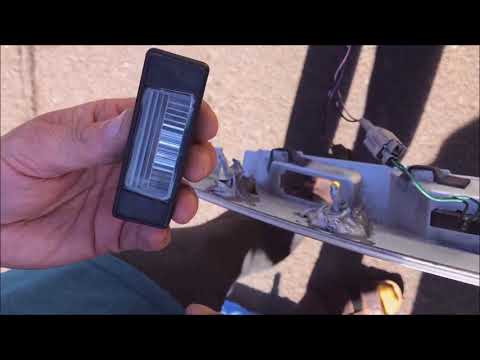
Follow these steps to remove the tailgate handle on a Nissan Qashqai to replace the number plate bulbs. First, open the rear tailgate of the car, then unscrew the screws on the plastic trim of the tailgate using a screwdriver (remove the plastic rivets). Detach the plastic trim from the tailgate, unscrew the securing bolts of the external handle with a screwdriver. Finally, remove the tailgate handle by hand. Take the new part and disassemble the number plate light. Reassemble everything in reverse order. by ScegliAuto More videos
|
|
For advertising on this site Write to info@scegliauto.com
ScegliAuto is not responsible for any inaccuracy of the data in the lists. To report any inaccuracy or your business (if you own the business in question), please write to info@scegliauto.com
Number of seconds to generate the page: 0.051
(c) ScegliAuto 2026 - info@scegliauto.com - Privacy policy VAT number: IT01247470535 |
