
|
Do it yourself
| |||
| ||||


How to change the language on the Mini's CIC IDrive system
Model: Mini Mini
F55, F54, F57, F56
- Years 2014-2023
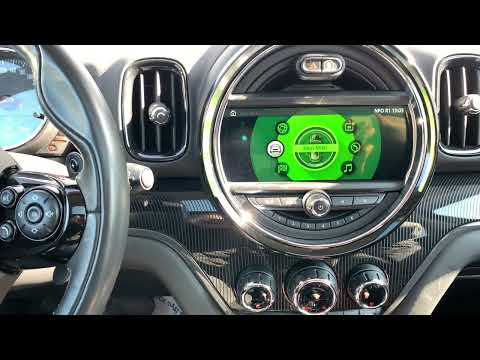
Let's see how to change the language on the Mini infotainment system, namely the CIC IDrive system: from the multimedia screen, go to the bottom option "settings": in the submenu, select the option "language/unit". Here we will see a page showing the current language and units of measurement being used. If we want to change the language, highlight it and confirm: a list of languages will appear, from which we can choose the one we prefer to use, and now we will see the entire menu in the selected language. If we want to change the units of measurement shown on the same page, we must follow the same steps.
Posted on 8 April 2025 by ScegliAuto
Video tutorial
Related tutorials
Mini
(2010-2016 /
R60, Countryman1)
In this very short video, we see how to return to our language on the Mini's onboard computer, starting from an unknown and incomprehensible language…
Mini
(2017-2023 /
Countryman2, F60)
Changing the language of the multimedia content of the 2017 Mini Countryman's onboard computer is a very simple operation that can be done independen…

Mini
(2007-2014 /
R57, R55, R56)
Today we will discover the steps to change the time on the central display of the Mini Clubman. First, get inside the vehicle and start the instrumen…
Other guides you may be interested in |
How to Remove the Original Radio on a Honda CR-V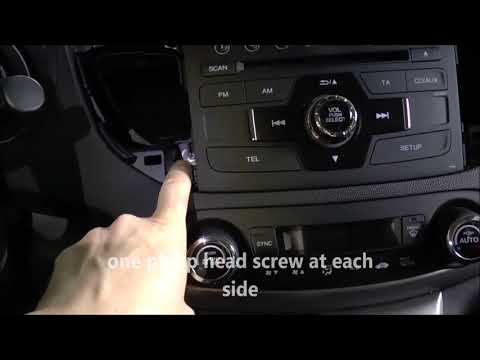
How do you remove the original radio on a Honda CR-V? First, use a plastic lever to remove the side cover of the radio (the air vents), then, with a screwdriver, unscrew the securing screws located on the sides (if present). After unscrewing the side screws (and disconnecting the clips) of the stereo, pull it out from its slot and remove it (disconnect the various power connectors at the back). To install the new stereo and the various removed parts, proceed in reverse order. by ScegliAuto More videos
|

|
For advertising on this site Write to info@scegliauto.com
ScegliAuto is not responsible for any inaccuracy of the data in the lists. To report any inaccuracy or your business (if you own the business in question), please write to info@scegliauto.com
Number of seconds to generate the page: 0.049
(c) ScegliAuto 2026 - info@scegliauto.com - Privacy policy VAT number: IT01247470535 |
