
|
Do it yourself
| |||
| ||||


How to change the language on a Mini Cooper
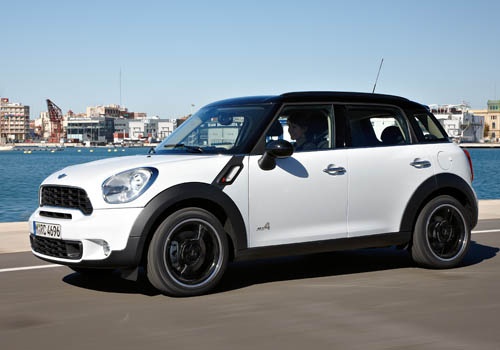
Model: Mini Mini
Countryman1, R60
- Years 2010-2016
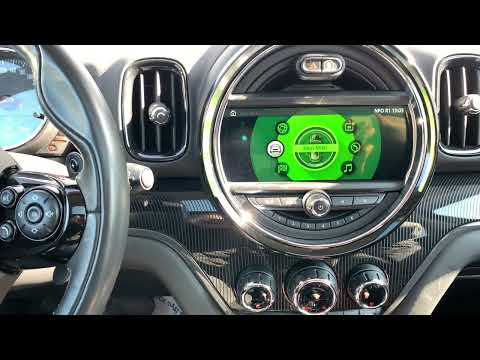
In this very short video, we see how to return to our language on the Mini's onboard computer, starting from an unknown and incomprehensible language. We turn on the instrument panel, touch the icon with the car and the word "MINI" on the central panel, which is the vehicle settings icon. We select the second option, which is the language, then the second voice again (which is the language list). A list of languages follows, each written in its own native language, so easily recognizable. The system changes language immediately after the selection, without the need for further confirmation.
Posted on 25 September 2025 by ScegliAuto
Video tutorial
Related tutorials
Mini
(2014-2023 /
F56, F57, F54, F55)
Let's see how to change the language on the Mini infotainment system, namely the CIC IDrive system: from the multimedia screen, go to the bottom opti…
Mini
(2017-2023 /
Countryman2, F60)
Changing the language of the multimedia content on the onboard computer of a 2017 Mini Countryman is a very simple task that can be done independentl…

Mini
(2001-2007 /
R53, R52, R50)
These simple steps will show you how to change the time on the display of the Mini Cooper instrument cluster. First, get in the car and turn on the i…
Other guides you may be interested in
|
How to Adjust the Brightness of the Instrument Cluster on a Peugeot 3008?
To adjust the brightness of the instrument cluster on a Peugeot 3008, you need to turn on the ignition and access the settings via the menu located in the central area of the dashboard. In the screen that appears, select the "Display Configuration" option: now, by selecting the "Brightness" option, you can adjust it using the dedicated slider that will appear on the screen. The adjustment should be made with the headlights on as well as with them off. Once the adjustment is complete, you can turn off the instrument cluster. by ScegliAuto More videos
|
|
For advertising on this site Write to info@scegliauto.com
ScegliAuto is not responsible for any inaccuracy of the data in the lists. To report any inaccuracy or your business (if you own the business in question), please write to info@scegliauto.com
Number of seconds to generate the page: 0.151
(c) ScegliAuto 2026 - info@scegliauto.com - Privacy policy VAT number: IT01247470535 |
