
|
Do it yourself
| |||
| ||||


How do you reset the multimedia system of the Mini Cooper from the central button?
Model: Mini Mini
F66
- Years 2023-2026
If the large circular screen of the Mini Cooper freezes or responds slowly, you can perform a software-only reset using the command located below the display. This operation should be done with the car stationary, the gear in the park position, and the ignition on. Once you are safely positioned, bring the system to the driving or navigation screen and locate the central button on the control panel, the same one you usually press to turn on the system. To initiate the restart, press and hold this button continuously without releasing it. After a few seconds, the screen will begin to turn off: the map image will disappear, and only a few essential pieces of information, such as speed and gear indicator, will remain on a dark background. Continuing to hold the button, the display will turn completely black, and the infotainment system will shut down. At this point, you can release the button and wait a moment: the screen will turn back on by itself, the initial graphics will appear, and the normal navigation, radio, and settings screens will become visible again. This reset does not delete the user's personal data but simply restarts the software of the multimedia system. Therefore, it is a useful procedure to know for quickly unlocking the central screen of the Mini Cooper without disconnecting the battery or entering the service menus.
Posted on 28 November 2025 by ScegliAuto
Video tutorial
Related tutorials
Mini
(2014-2023 /
F55, F56, F57, F54)
In today's video tutorial we will see how to disassemble and replace the central display and the car radio of the Mini Cooper, following the instruct…
Mini
(2014-2023 /
F55, F56, F57, F54)
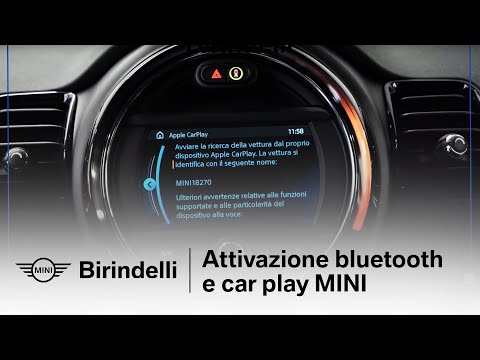
Today's guide will show us how to connect our mobile phone to the Mini Cooper's multimedia system via Bluetooth. Firstly, we get into the car and tur…

Mini
(2007-2014 /
R55, R57, R56)
To reset the oil life indicator on the Mini Cooper, you only need to work from the central instrument panel, without using diagnostic tools. With the…
Other guides you may be interested in
|
How to Replace the Timing Belt on a Peugeot 206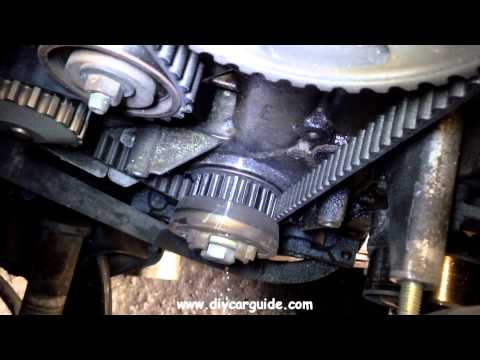
First, release the bonnet from the lever and lift it. Access to the belt is easier from the front right wheel, so remove it. Now disconnect the battery cables. Once the wheel is completely removed, you will also need to remove the brake to work from underneath your vehicle. Unscrew the tensioner and the lower pulley cover, allowing you to comfortably extract the new belt in position. Now simply retrace the steps described above to reassemble the various components. by ScegliAuto More videos
|

|
For advertising on this site Write to info@scegliauto.com
ScegliAuto is not responsible for any inaccuracy of the data in the lists. To report any inaccuracy or your business (if you own the business in question), please write to info@scegliauto.com
Number of seconds to generate the page: 0.089
(c) ScegliAuto 2026 - info@scegliauto.com - Privacy policy VAT number: IT01247470535 |
