
|
Do it yourself
| |||
| ||||


How to reset the service in the Mini Countryman?
Model: Mini Mini
R60, Countryman1
- Years 2010-2016
In this tutorial, we can see how to reset the service in the Mini Countryman, an extremely simple and quick operation to be carried out only after completing all scheduled maintenance work. First, let's go inside the cabin, then insert the key and turn on the instrument panel. Next, press and hold the right button on the dashboard until the maintenance menu appears, scroll through the various available services using the "BC" button located on the left lever, and once you reach the one to reset, perform the reset by holding down the same button. To complete the procedure, simply restart the vehicle.
Posted on 15 January 2026 by ScegliAuto
Video tutorial
Related tutorials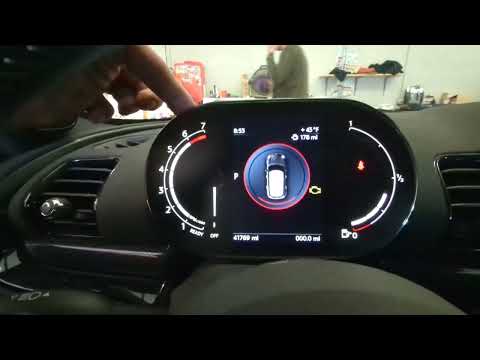
Mini
(2017-2023 /
Countryman2, F60)
.. In this tutorial we can see how to reset the service in the Mini Countryman, an extremely simple and quick operation, to be carried.. …

Mini
(2010-2016 /
R60, Countryman1)
.. In this tutorial we can see how to reset the service in the Mini Countryman, an extremely simple and quick operation, to be carried.. …

Mini
(2024-2026 /
U25, Countryman3)
.. In this tutorial we can see how to reset the service in the Mini Countryman, an extremely simple and fast operation, to be carried.. …
Other guides you may be interested in
|
How to Open the Door of a Golf 7 with a Flat Key Battery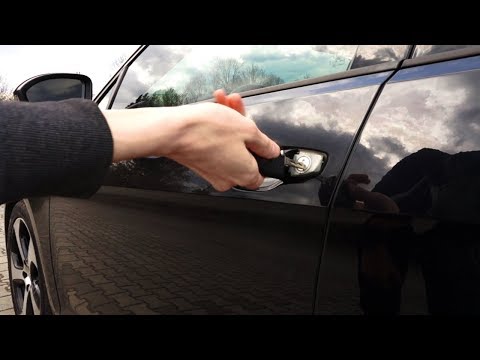
Is the remote key battery of the Golf flat and you don’t know how to open the car? Here’s what to do. Take your remote and press the button to release the metal key. Once extracted, use the key to pry into the space of the handle until the piece detaches. Insert the key into the lock and open the car door. To close the lock: take the cap and press down on the handle until you hear the locking click. Open the remote key and replace the battery. by ScegliAuto More videos
|

|
For advertising on this site Write to info@scegliauto.com
ScegliAuto is not responsible for any inaccuracy of the data in the lists. To report any inaccuracy or your business (if you own the business in question), please write to info@scegliauto.com
Number of seconds to generate the page: 0.107
(c) ScegliAuto 2026 - info@scegliauto.com - Privacy policy VAT number: IT01247470535 |
