
|
Do it yourself
| |||
| ||||



How to reset the service light on the Mini Countryman?
Model: Mini Mini
U25, Countryman3
- Years:
2024, 2025, 2026
Video tutorial
In this tutorial we can see how to reset the service in the Mini Countryman, an extremely simple and fast operation, to be carried out only once all scheduled maintenance work has been completed. Let's start by going inside the cockpit, then insert the key and turn on the instrument panel, it is not necessary to start the engine. Next, we reach the main screen on the central display, press and hold the button depicting a star on the steering wheel and release it when the maintenance menu appears. At this point, all that remains is to scroll through the various available services and perform the reset by pressing the button again.
Posted on 22 February 2025 by ScegliAuto
Related tutorials
Mini
(2010-2016 /
Countryman1, R60)
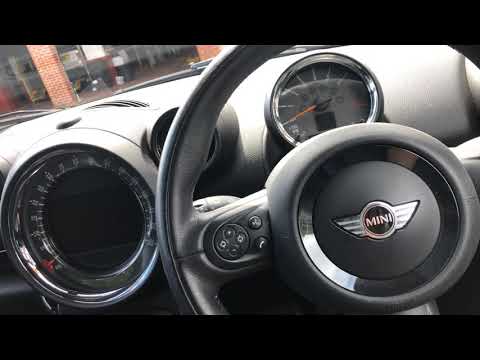
In this tutorial we can see how to reset the service in the Mini Countryman, an extremely simple and quick operation, to be carried out only once all…
Mini
(2010-2016 /
Countryman1, R60)
Resetting the service light on a Mini Countryman is very simple. Follow these steps. First, insert the key and turn on the ignition, but do not start…

Mini
(2017-2023 /
F60, Countryman2)
In this tutorial we can see how to reset the service in the Mini Countryman, an extremely simple and quick operation, to be carried out only once all…
Other guides you may be interested in
|
Replacing the Gear Knob on the Renault Espace
The following steps will show you how to remove and replace the gear knob of the manual gearbox on the Renault Espace. First, get in the vehicle and start by removing the small upper cover of the knob; to remove it, simply pull the gear knob upwards with force to detach it from the lever, as shown in the video. At this point, remove and replace the gear gaiter if necessary, installing the new one; finally, insert the new gear knob, securing it properly onto the lever (ensure there is no play between the lever and the knob). by ScegliAuto More videos
|
|
For advertising on this site Write to info@scegliauto.com
ScegliAuto is not responsible for any inaccuracy of the data in the lists. To report any inaccuracy or your business (if you own the business in question), please write to info@scegliauto.com
Number of seconds to generate the page: 0.095
(c) ScegliAuto 2026 - info@scegliauto.com - Privacy policy VAT number: IT01247470535 |
