
|
Do it yourself
| |||
| ||||


How to Replace the Wing Mirror Covers on a Mini Cooper R53
Model: Mini Mini
R53, R50, R52
- Years:
2001, 2002, 2003, 2004, 2005, 2006, 2007
Video tutorial
Let’s see how to replace the covers of the external rear-view mirrors on the Mini R53. The operation is simple and does not require special tools; you will only need double-sided tape and a plastic spatula. Adjust the mirror to have maximum space to insert the spatula between the housing and the mirror cover; insert the tool on the inner side of the mirror (the side closest to the window): Do not pry, but push down the tab of the clip located inside. Once the front clip is released, the back of the mirror cover should come off easily by hand. Clean the contact area on the base of the mirror, and if any clips are damaged, apply double-sided tape along the edge to ensure the new cover's hold. Align the cover and push it inward until you hear a "click" from all the clips. That's it.
Posted on 14 April 2026 by ScegliAuto
Related tutorials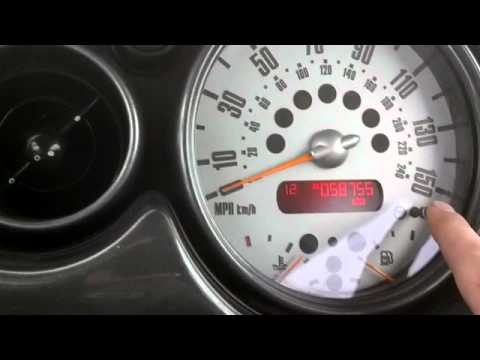
Mini
(2001-2007 /
R53, R50, R52)
If the time displayed on the small screen of your Mini Cooper R53 (2001-2007) is incorrect, you can easily change it manually by following these step…

Mini
(2001-2007 /
R53, R50, R52)
The service belt refers, regardless of the car model, to the belt that allows the alternator, water pump, and air conditioner to function. In the Min…

Mini
(2001-2007 /
R53, R50, R52)
In this video, you will learn how to repair or refurbish the rear wiper motor of a Mini Cooper R53, second series. First, remove the rear wiper by ta…
Other guides you may be interested in |
How to Reset the AdBlue Warning Light on a Peugeot Boxer
To reset the AdBlue system on a 2018 Peugeot Boxer, follow these steps: Start the engine and ensure the vehicle is parked in a well-ventilated area. Locate the "MENU" button on the dashboard or steering wheel controls. Press and hold the "MENU" button until the menu options appear on the display. Use the arrow buttons or scroll wheel to access the "Vehicle Settings" or "Settings" menu. Select the "AdBlue" or "AdBlue System" option. Look for the "Recharge" or "Reset" option in the AdBlue menu. Once you find the reset option, select it and confirm your choice when prompted. The system will be reset, and a confirmation message may appear on the display. Turn off the engine and wait a few seconds. Restart the engine and check that the AdBlue system has been reset. by ScegliAuto More videos
|
|
For advertising on this site Write to info@scegliauto.com
ScegliAuto is not responsible for any inaccuracy of the data in the lists. To report any inaccuracy or your business (if you own the business in question), please write to info@scegliauto.com
Number of seconds to generate the page: 0.015
(c) ScegliAuto 2026 - info@scegliauto.com - Privacy policy VAT number: IT01247470535 |
