
|
Do it yourself
| |||
| ||||


How to Replace the Rear Light Bulb on the Mini Cooper
Model: Mini Mini
F56, F57, F54, F55
- Years 2014-2023
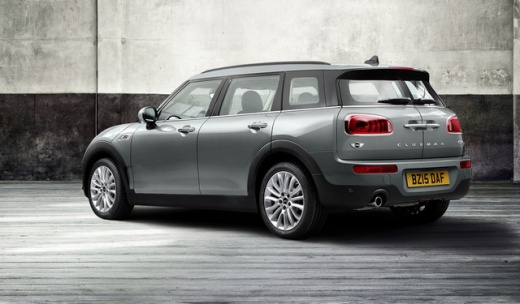
Today, you will learn how to replace the rear light bulb on the Mini Cooper model F 56. Open the boot and use a trim removal tool to detach the rear light cover to access the securing screws. Using a star screwdriver, unscrew the screws that secure the light to the rear bumper. Disconnect the light from its housing and unplug the connector to remove the lens cover and access the worn bulbs. Insert the new bulbs into the lens cover and refit the light into its housing. Tighten the securing screws and reattach the light cover.
Posted on 27 May 2026 by ScegliAuto
Video tutorial
Related tutorials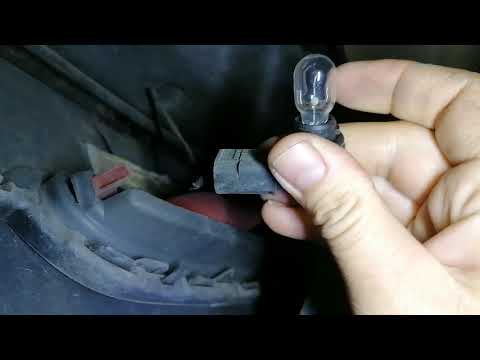
Mini
(2001-2007 /
R53, R52, R50)
Let's briefly go through the instructions needed to remove and replace the rear fog light bulb in a Mini Cooper. First, move to the rear of the vehic…

Mini
(2007-2014 /
R56, R55, R57)
In order to replace the rear headlight bulb of the Mini Cooper, you need to pry with an object to detach the chrome trim around the headlight. Once t…

Mini
(2014-2023 /
F56, F57, F54, F55)
In a few simple steps, we will see how to disassemble the rear light and replace its bulbs on the Mini Cooper. First, let's open the rear hatch of th…
Other guides you may be interested in
|
How to Bleed the Clutch on a Renault Clio?
To bleed the clutch on a Renault Clio, open the bonnet to access the components located in the engine bay: here, you will need to undo the screws that secure the battery in its housing, the intake manifold, and the coolant reservoir. This will allow you to locate the pipe through which the brake fluid flows: by inserting the other end of the pipe into a container, you can press the clutch pedal to expel all the fluid until it fills the container. by ScegliAuto More videos
|
|
For advertising on this site Write to info@scegliauto.com
ScegliAuto is not responsible for any inaccuracy of the data in the lists. To report any inaccuracy or your business (if you own the business in question), please write to info@scegliauto.com
Number of seconds to generate the page: 0.169
(c) ScegliAuto 2026 - info@scegliauto.com - Privacy policy VAT number: IT01247470535 |
