
|
Do it yourself
| |||
| ||||


Resetting the Mini Cooper service warning light d
Model: Mini Mini
F55, F54, F57, F56
- Years 2014-2023
This video shows the procedure, as well as verbally described, to reset the service warning light of the Mini Cooper d. After turning on the ignition, making sure that the doors, luggage racks and bonnet are closed, press the key at the bottom of the instrument panel and keep it pressed until Reset Executable appears. Then release and press the aforementioned key again and we will see the question appear: reset? Once again you release and press the same key on the panel again, until the message Reset in progress appears. Once this message is off, the work can be considered finished.
Posted on 30 June 2022 by ScegliAuto
Video tutorial
Related tutorials
Mini
(2010-2016 /
R60, Countryman1)
The service light reset on a Mini Cooper F60 model vehicle follows simple and quick steps to be performed independently. To reset the light, we must …
Mini
(2007-2014 /
R57, R55, R56)
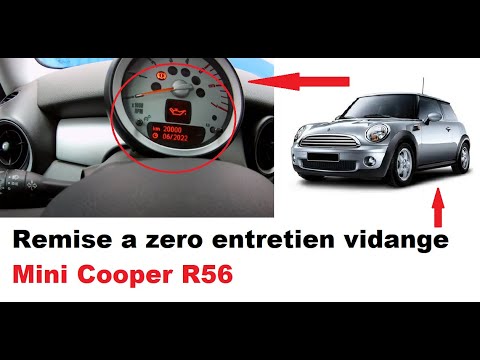
Today we will see the procedure for resetting the Mini Cooper oil change routine maintenance service light. First of all we get on board the car and …

Mini
(2017-2023 /
Countryman2, F60)
Let's see in this video how to reset the service light of the routine maintenance of the Mini Cooper oil change. First of all we get on board the car…
Other guides you may be interested in
|
Removing the Drive Shaft on a Fiat Panda
Learn how to remove the drive shaft on a Fiat Panda. Lift the car on a column lift and locate the drive shaft. Using a socket spanner, undo the securing bolts on either side of the drive shaft (remove the bolts around the plates) where it is situated. Once the part is removed, take it out of the vehicle (replace it with a new drive shaft). Finally, refit the new drive shaft (connect it on both sides) and tighten the appropriate bolts. Lower the car and test its proper functioning. by ScegliAuto More videos
|

|
For advertising on this site Write to info@scegliauto.com
ScegliAuto is not responsible for any inaccuracy of the data in the lists. To report any inaccuracy or your business (if you own the business in question), please write to info@scegliauto.com
Number of seconds to generate the page: 0.192
(c) ScegliAuto 2026 - info@scegliauto.com - Privacy policy VAT number: IT01247470535 |
