
|
Do it yourself
| |||
| ||||


How to reset the Mini Cooper R56 tire warning light
Model: Mini Mini
R56, R57, R55
- Years 2007-2014
If when you start the ignition of your Mini Cooper R56 (year 2007-2014) you notice the orange tire warning light staying on despite there being no puncture, don't worry because you just need to follow the steps below to reset it manually. First, turn on the ignition and navigate through the menu until you find the "Set/Info" item. Then scroll again and locate the tire warning light. Select the "Reset" option and wait for the indicator in question to autocomplete. Finally, exit the menu and turn off the car ignition.
Posted on 22 January 2023 by ScegliAuto
Video tutorial
Related tutorials
Mini
(2007-2014 /
R56, R57, R55)
To correctly complete the reset of the tire warning light on your Mini Cooper R56, simply read the following guide carefully and apply what is descri…

Mini
(2007-2014 /
R56, R57, R55)
Manually resetting the TPMS light on your Mini Cooper R56 (2013) is really simple. To complete the operation without any difficulty, just follow the …

Mini
(2007-2014 /
R56, R57, R55)
Today we will show you how to reset the TPMS light related to tire pressure on a Mini Cooper R56 model. To reset it, we need to press the button on t…
Other guides you may be interested in |
How to Replace the Pollen Filter on a Jeep Renegade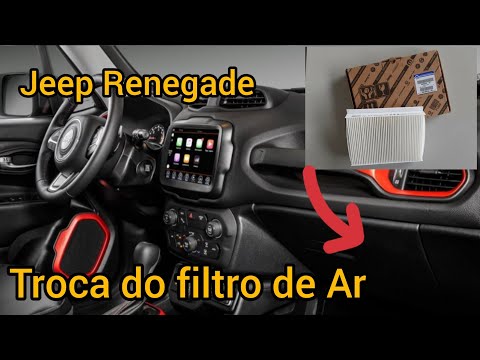
How to replace the pollen filter on a Jeep Renegade? Unscrew the screws located on the right side of the dashboard, then remove the glove compartment (as shown in the video). Using a screwdriver or cordless drill, remove the metal bar and the cover from the filter housing, then extract the worn cabin filter. Insert a new cabin filter ensuring it fits snugly around the walls of the housing, reattach the housing cover and tighten the screws (cover everything with the cloth placed under the dashboard). Check the correct installation of the previously mounted parts. by ScegliAuto More videos
|

|
For advertising on this site Write to info@scegliauto.com
ScegliAuto is not responsible for any inaccuracy of the data in the lists. To report any inaccuracy or your business (if you own the business in question), please write to info@scegliauto.com
Number of seconds to generate the page: 0.046
(c) ScegliAuto 2026 - info@scegliauto.com - Privacy policy VAT number: IT01247470535 |
