
|
Do it yourself
| |||
| ||||


How to Replace the Rear Boot Button of a Mini Cooper
Model: Mini Mini
R53, R52, R50
- Years 2001-2007
In this video tutorial, see how to remove and replace or repair the rear boot button of a Mini Cooper in simple and quick steps. First, open the rear boot and start by removing the plastic cover of the button, unscrewing the fixing screws found on the inside of the rear boot; then disconnect the electrical connector of the button, as shown in the video. At this point, carry out the repair of the opening button or directly replace it; apply the reverse procedure for reassembly!
Updated on 30 July 2026 by ScegliAuto
Video tutorial
Related tutorials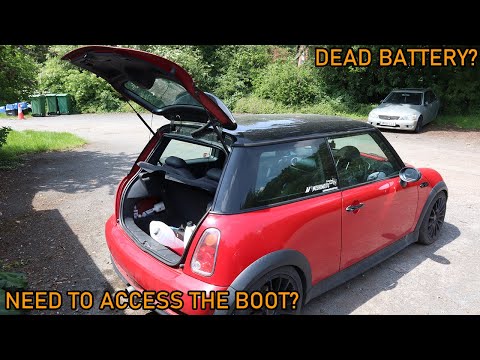
Mini
(2001-2007 /
R53, R52, R50)
In today’s tutorial video, we will show you how to open the boot of the Mini Cooper with a flat battery. First, open the front door and recline the s…

Mini
(2001-2007 /
R53, R52, R50)
In this guide, you will see the main steps to remove the rear boot lid of the Mini Cooper. First, open the rear boot lid and start by removing the fa…

Mini
(2001-2007 /
R53, R52, R50)
We will briefly see the instructions that will allow us to manually open the rear trunk hatch from inside the Mini Cooper in case of an emergency. Fi…
Other guides you may be interested in |
How to Reset the Central Locking of the Volkswagen Golf 4?
If the central locking system of the Volkswagen Golf 4 is not working, it is likely necessary to reset the system: to do this, open the driver's door and detach the side panel of the dashboard next to the steering wheel. Under this panel, you will find the fuses, including the one for the central locking, which is indicated in the manual as number 14. To reset the system, remove this fuse from its housing, then reinsert it or replace it with a new one of the same amperage: this will reset the central locking system. by ScegliAuto More videos
|
|
For advertising on this site Write to info@scegliauto.com
ScegliAuto is not responsible for any inaccuracy of the data in the lists. To report any inaccuracy or your business (if you own the business in question), please write to info@scegliauto.com
Number of seconds to generate the page: 0.085
(c) ScegliAuto 2026 - info@scegliauto.com - Privacy policy VAT number: IT01247470535 |
