
|
Do it yourself
| |||
| ||||


How to reset the brake service light on the Mini R56
Model: Mini Mini
R56, R55, R57
- Years 2007-2014
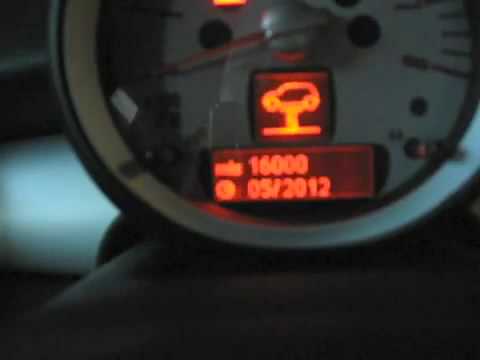
In this article, you will learn how to reset the brake maintenance light on the Mini Cooper R56, in case it remains illuminated after replacing the brakes or performing maintenance. To reset the light, first start the instrument cluster, then press and hold the button next to the cluster until the brake light appears. At this point, press and hold the button on the side of the indicator stalk until the word 'reset' appears below the light, then release the button and press it again to perform the reset. Now wait for the reset to complete and restart the instrument cluster.
Updated on 16 September 2026 by ScegliAuto
Video tutorial
Related tutorials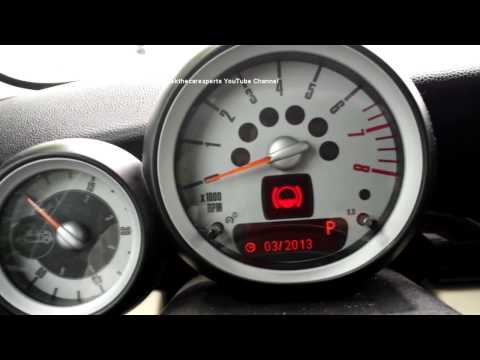
Mini
(2007-2014 /
R56, R55, R57)
To reset the service light on a Mini R56, follow a procedure visible in this video. Here are the steps: Insert the key; do not press the brake or clu…

Mini
(2007-2014 /
R56, R55, R57)
Today, we will see the instructions to reset the brake pad service light of the Mini Clubman. First, get inside the vehicle and turn on the instrumen…
Mini
(2007-2014 /
R56, R55, R57)
To reset the Service light on a Mini R56, turn on the instrument cluster to navigate the menu on the display. Press and hold both buttons located on …
Other guides you may be interested in
|
Frequently Asked QuestionsHow to Replace the Diesel Filter of the Peugeot 3008 1.5 BlueHDI
Briefly, we will see the main instructions for dismantling and replacing the diesel filter of the Peugeot 3008 1.5 BlueHDI. First, locate the diesel filter under the vehicle, so it will be necessary to lift it; then disconnect the electrical connector and the fuel lines from the filter, unscrewing the side screws to remove the cartridge, as shown in the video. At this point, replace the diesel filter with the new one, as well as with the original one; then reconnect the pipes and the electrical connector, following the video tutorial to the end! by ScegliAuto More videos
|

|
For advertising on this site Write to info@scegliauto.com
ScegliAuto is not responsible for any inaccuracy of the data in the lists. To report any inaccuracy or your business (if you own the business in question), please write to info@scegliauto.com
Number of seconds to generate the page: 0.210
(c) ScegliAuto 2026 - info@scegliauto.com - Privacy policy VAT number: IT01247470535 |
