
|
Do it yourself
| |||
| ||||



Rear Bumper Replacement
Model: Mini Mini
R57, R56, R55
- Years:
2007, 2008, 2009, 2010, 2011, 2012, 2013, 2014
Video tutorial
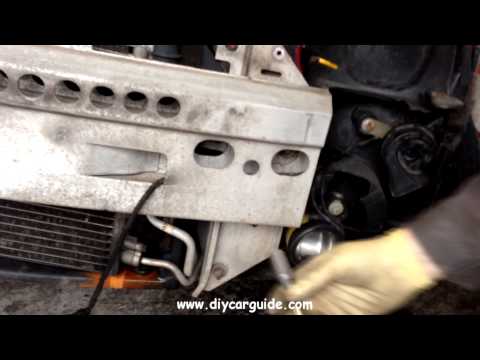
If you have some axle stands, position them under the car to lift it. As you can easily understand, you will need to work on the underside of the car or the inside of the bumper. You will need to unscrew the bolt that secures the bumper to a central support, using lubricant if the bolt is rusted. Remove all connectors attached on both the left and right sides. Now, remove the clips securing the bumper from the inside of the wing, and by moving the wing panel forward, you will find more clips behind it that join the bumper to the bodywork above it. Also, remove the plastic edge around the wing to access further clips securing the bumper. Always be very careful with the connected connectors. Open the boot and remove the two screws located at the two lower corners of the boot edge. Now, simply pull away the bumper starting from the top. Follow the steps in reverse for reassembly.
Updated on 23 February 2026 by ScegliAuto
Related tutorials
Mini
(2001-2007 /
R53, R50, R52)
In this video tutorial, you will learn how to remove and replace the parking sensors on the Mini Cooper in simple and quick steps. First, move to the…
Mini
(2001-2007 /
R53, R50, R52)
Using a ratchet spanner, start by removing the screws inside the engine bay. Lift the vehicle and unscrew all the screws; the anchor points are distr…

Mini
(2014-2023 /
F55, F54, F56, F57)
Before you can start, open the tailgate of your Mini Cooper's boot. Begin by unclipping and removing the rear light surrounds, then unscrew and remov…
Other guides you may be interested in
|
How to Set the Time on an Audi A6
Briefly, we will see the instructions to set the time on the Audi A6 by following these simple steps. First, get inside the vehicle and turn on the instrument cluster; then press the settings button and navigate to the time option to confirm your choice, as shown in the video. At this point, set the correct time and format, then exit the settings menu to save the changes made; finally, start the engine and ensure that the time has been set correctly! by ScegliAuto More videos
|
|
For advertising on this site Write to info@scegliauto.com
ScegliAuto is not responsible for any inaccuracy of the data in the lists. To report any inaccuracy or your business (if you own the business in question), please write to info@scegliauto.com
Number of seconds to generate the page: 0.027
(c) ScegliAuto 2026 - info@scegliauto.com - Privacy policy VAT number: IT01247470535 |
