
|
Do it yourself
| |||
| ||||


How to Replace the Rear Lights on a Mini Cooper
Model: Mini Mini
R57, R55, R56
- Years 2007-2014
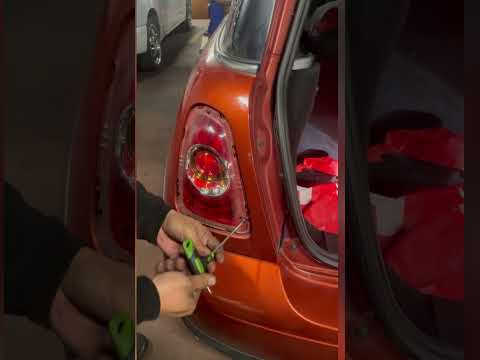
First, lift the tailgate to access the rear of the light. Then, remove the side panel by simply unclipping it from the appropriate fasteners. Now you can also remove the bolts securing the light. Extract it from the rear and disconnect the connectors. This way, you can easily and independently carry out the necessary replacements. By removing the cover at the back, you can also replace the bulbs. Finally, retrace your steps to reassemble the various components.
Updated on 24 February 2026 by ScegliAuto
Video tutorial
Related tutorials
Mini
(2014-2023 /
F55, F54, F57, F56)
In this guide we will see the instructions that will allow us to disassemble and replace the rear taillight of the Mini Cooper. First of all, we open…
Mini
(2007-2014 /
R57, R55, R56)
If you need to remove one of the rear lights of your Mini Cooper R56 but you don't know how to do it, don't worry because we will explain step by ste…

Mini
(2001-2007 /
R52, R50, R53)
If the tire pressure warning light on your Mini Cooper R52 continues to stay on constantly on the instrument panel and you want to manually reset it,…
Other guides you may be interested in
|
How to Remove the Gear Knob on an Opel Astra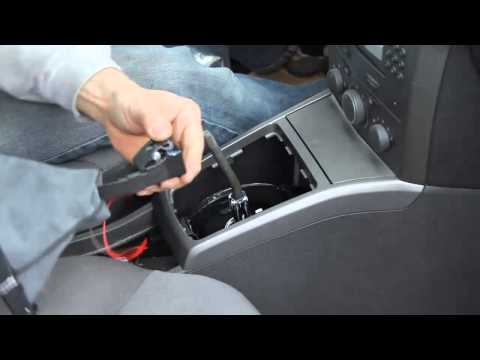
How to replace the gear knob on an Opel Astra? Follow these steps: use a plastic lever to disconnect the leather gaiter frame (if you need to replace it). Grip the knob with both hands and pull it upwards (with a strong and decisive motion) until it comes off the gear stick. For installation: fit the new gaiter and position it on the centre tunnel, take the new knob and push it onto the stick, tightening it until fully threaded. Test the movement of the stick on the centre tunnel to ensure the knob is correctly fitted. by ScegliAuto More videos
|

|
For advertising on this site Write to info@scegliauto.com
ScegliAuto is not responsible for any inaccuracy of the data in the lists. To report any inaccuracy or your business (if you own the business in question), please write to info@scegliauto.com
Number of seconds to generate the page: 0.047
(c) ScegliAuto 2026 - info@scegliauto.com - Privacy policy VAT number: IT01247470535 |
