
|
Do it yourself
| |||
| ||||


How do you set the clock in the Mini Cooper?
Model: Mini Mini
R60, Countryman1
- Years 2010-2016
The clock adjustment on the Mini Cooper is done by turning on the instrument panel and navigating to the menu that will appear on the central display using the red button on the tunnel: you will need to scroll until you select the "Setup" option. At this point, you will need to scroll and select the "Time/Date" option and then "Set time:"; this will give access to the screen from which you can modify both the hours and minutes. In this way, you can confirm by returning to the initial screen; at the end of the modification, you can turn off the instrument panel by turning the key.
Posted on 25 May 2024 by ScegliAuto
Video tutorial
Related tutorials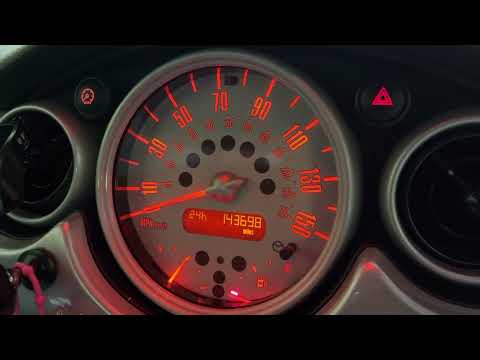
Mini
(2001-2007 /
R52, R50, R53)
To set the clock in a Mini Cooper, you need to turn on the instrument panel by turning the ignition key. Once the panel is on, you can hold down the …

Mini
(2001-2007 /
R52, R50, R53)
The clock of the Mini Cooper can be adjusted by turning on the instrument panel, turning the ignition key: once the panel is turned on, you can hold …

Mini
(2014-2023 /
F55, F54, F57, F56)
Today we will see step by step instructions on how to change the time on the central display of the Mini Cooper. First of all, we get into the car an…
Other guides you may be interested in
|
How to Open the Door of a Golf 7 with a Flat Key Battery
Is the remote key battery of the Golf flat and you don’t know how to open the car? Here’s what to do. Take your remote and press the button to release the metal key. Once extracted, use the key to pry into the space of the handle until the piece detaches. Insert the key into the lock and open the car door. To close the lock: take the cap and press down on the handle until you hear the locking click. Open the remote key and replace the battery. by ScegliAuto More videos
|

|
For advertising on this site Write to info@scegliauto.com
ScegliAuto is not responsible for any inaccuracy of the data in the lists. To report any inaccuracy or your business (if you own the business in question), please write to info@scegliauto.com
Number of seconds to generate the page: 0.142
(c) ScegliAuto 2026 - info@scegliauto.com - Privacy policy VAT number: IT01247470535 |
