
|
Do it yourself
| |||
| ||||


How do you set the time on the Mini?
Model: Mini Mini
F55, F56, F57, F54
- Years 2014-2023
At first glance, the Mini may seem a bit complex in its settings, due to its centrally located touchscreen dashboard screen. However, upon closer inspection, one realizes that everything is actually quite intuitive. By pressing the Menu button, you can access the settings and have six submenus available, through which you have general control over everything. Selecting the classic Date and Time option allows you to set the clock to your liking, adjusting the hours and minutes, as well as choosing the time zone and display format, 12 or 24 hours.
Posted on 10 June 2024 by ScegliAuto
Video tutorial
Related tutorials
Mini
(2014-2023 /
F55, F56, F57, F54)
If you want to manually set the correct time on your Mini Cooper (2017), just follow all the steps described in our new guide. First of all, get into…

Mini
(2014-2023 /
F55, F56, F57, F54)
Today we will see step by step instructions on how to change the time on the central display of the Mini Cooper. First of all, we get into the car an…

Mini
(2007-2014 /
R55, R57, R56)
In this tutorial we can see how to set the time in the Mini Cooper, an extremely simple operation, to be carried out for example after being left wit…
Other guides you may be interested in
|
Remove the Front Door Panel on Jeep Renegade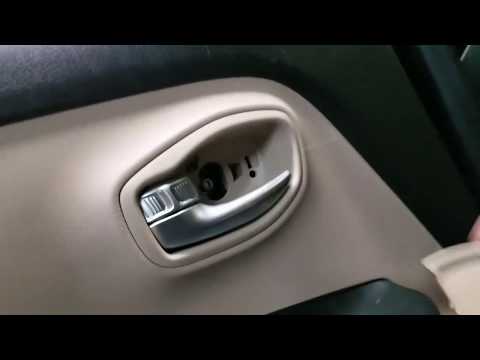
How to remove the front door panel on a Jeep Renegade? Follow these steps: before starting the disassembly, disconnect the battery terminals located in the engine compartment. Begin disassembly: using a lever, remove the switch panel located on the door handle, then use a screwdriver to unscrew the securing screws located there. Once all screws are removed, detach the plastic clips that secure the door. Remove the door panel by hand, disconnect the power connectors and the door release cable. by ScegliAuto More videos
|

|
For advertising on this site Write to info@scegliauto.com
ScegliAuto is not responsible for any inaccuracy of the data in the lists. To report any inaccuracy or your business (if you own the business in question), please write to info@scegliauto.com
Number of seconds to generate the page: 0.076
(c) ScegliAuto 2026 - info@scegliauto.com - Privacy policy VAT number: IT01247470535 |
