
|
Do it yourself
| |||
| ||||


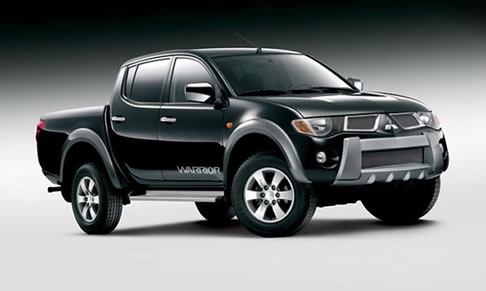
How to set the clock on a Mitsubishi L200
Model: Mitsubishi L 200
- Years:
2005, 2006, 2007, 2008, 2009, 2010, 2011, 2012, 2013, 2014, 2015
Video tutorial
Follow these steps to set the time on the central display of a Mitsubishi L200. Get into the vehicle and switch on the instrument panel. Press and hold the Menu button, then select the clock setup option as shown in the video. Set the hour, followed by the minutes. Exit the settings to save your changes. Set the date and time format as required to complete the clock adjustment.
Posted on 28 November 2026 by ScegliAuto
Related tutorials
Mitsubishi L 200
(2005-2015 /
MK 2)
The following steps will show you how to change the date and time on the small display of the Mitsubishi L200. First, get into the vehicle and turn o…

Mitsubishi L 200
(2015-2024 /
MK 3)
Today we will discover the information that will show us how to open the hood of the Mitsubishi L 200, following these simple steps. First of all, we…

Mitsubishi L 200
(2005-2015 /
MK 2)
To easily locate the fuse box on your Mitsubishi L 200 (2005-2015), follow the instructions in this guide. First, go inside the cabin and reach the d…
ScegliAuto offers an extensive international collection of automotive tutorials available in 12 languages. Each guide combines instructional videos with original explanations written by experienced human editors, along with information about the car models covered.
Other guides you may be interested in |
How to Reset the Tyre Pressure Light on the Jeep Renegade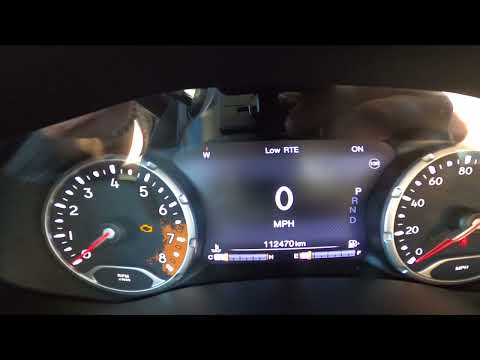
Follow these steps to reset the tyre pressure light on the Jeep Renegade; before performing the reset, ensure that all four tyres are at the correct operating pressure. First, get inside the vehicle and turn on the ignition; then navigate to the settings on the onboard computer and go to the tyre pressure monitor, making sure the pressures are correct. This way, the system will verify the pressures and automatically reset the TPMS light on the instrument cluster! by ScegliAuto More videos
|
|
For advertising on this site Write to info@scegliauto.com
ScegliAuto is not responsible for any inaccuracy of the data in the lists. To report any inaccuracy or your business (if you own the business in question), please write to info@scegliauto.com
Number of seconds to generate the page: 0.045
(c) ScegliAuto 2026 - info@scegliauto.com - Privacy policy - About us VAT number: IT01247470535 |
