
|
Do it yourself
| |||
| ||||


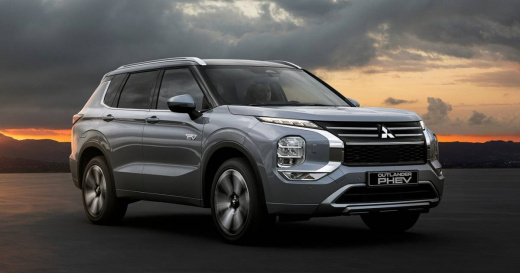
The infotainment system of the Mitsubishi Outlander PHEV
Model: Mitsubishi Outlander
MK 4
- Years 2021-2026
In this video we see how to use the infotainment system of the Mitsubishi Outlander, which is really not very intuitive: it has a folder system like a computer - but the audio system is really good - with very user-unfriendly commands. By pressing the "audio" button, we find the screen divided between the last function used and the one we requested. With "mode" we can change the source, (and the USB ports are located behind the screen) and the screen is resistive, so we have to press with a certain force. Bluetooth streaming works quite well, there is no DAB in the radio. On the right side we have the navigation controls, which are displayed on the screen in front of our eyes. On the steering wheel there are buttons for both the radio and the navigation system, where the charging points are also displayed. With the buttons below the multimedia screen we can make very fine adjustments, both for the infotainment system and for the vehicle, going into detail of all the functions (although the system speed is not very high). One note about the call system: when we call someone, we don't hear the ring of the call, but when they answer, we hear their voice directly. This is a bit disconcerting. But there are many other positive things, such as the ability to turn on the climate control at a specific time, when the vehicle is plugged into the charging point, but especially the report on the hybrid part, which gives us a lot of useful information about our driving style, with a chronological graph of how we drove, and also on the charging costs; as well as a very useful analysis of the external environment.
Posted on 23 June 2024 by ScegliAuto
Video tutorial
Related tutorials
Mitsubishi Outlander
(2013-2021 /
MK 3)
In this video, we can see where the fuse boxes are located in the Mitsubishi Outlander PHEV and their respective diagrams, useful in case you need to…

Mitsubishi Outlander
(2021-2026 /
MK 4)
In this tutorial, you will see how to reset the tyre warning light on a Mitsubishi Outlander PHEV, a very simple and quick operation to perform only …

Mitsubishi Outlander
(2013-2021 /
MK 3)
In this video we see how to reset the service light on a Mitsubishi Outlander PHEV, specifically for older models (around 2013/2015) using a "mechani…
Other guides you may be interested in
|
How to Connect the Cables to the Battery of the Citroen Xsara Picasso?
In this tutorial, you will see how to connect the cables to the battery of the Citroen Xsara Picasso, useful if you need to recharge it or perform an emergency start. First, ensure the key is not inserted, then open the bonnet and move to the front of the left headlamp. Next, locate the bolt just behind the filter box and connect the positive terminal clamp to it. Now you can connect the negative terminal to any point on the chassis, such as the indicated point. Once the operation is complete, ensure you disconnect the negative first and then the positive. by ScegliAuto More videos
|
|
For advertising on this site Write to info@scegliauto.com
ScegliAuto is not responsible for any inaccuracy of the data in the lists. To report any inaccuracy or your business (if you own the business in question), please write to info@scegliauto.com
Number of seconds to generate the page: 0.067
(c) ScegliAuto 2026 - info@scegliauto.com - Privacy policy VAT number: IT01247470535 |
