
|
Do it yourself
| |||
| ||||


How to Replace the Rear Brake Fluid on a Moto Guzzi V85TT
Model: Moto Guzzi V85tt
Video tutorial
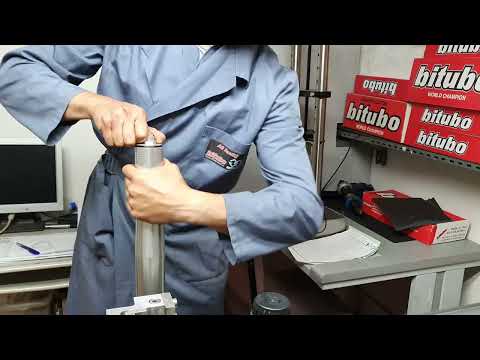
In this video, you will learn how to bleed and replace the rear brake fluid on a Moto Guzzi V85TT. First, unscrew the bolt of the brake fluid reservoir bracket to remove the cap. Then, connect a tube to the bleed valve on the pump, allowing you to open the bolt and let the old fluid escape from the system by repeatedly pressing the rear brake lever. Once the reservoir is empty, close the bleed bolt and pour in the new brake fluid, as shown in the video!
Updated on 16 April 2026 by ScegliAuto
Related tutorials
V85tt
It will be possible to replace the rear brake pads of the Moto Guzzi V85TT by loosening the screws that secure the brake caliper to the corresponding…
V85tt
Here are the instructions for removing and replacing the rear suspension of the Moto Guzzi V85TT, following these simple steps. First, place the moto…

V85tt
To replace the rear brake pads on the Moto Guzzi V85TT, loosen the screws that secure the rear brake caliper to the corresponding disc. Once the scre…
|
How to Replace the Headlight Bulb of a Triumph Speed Twin?
To replace the headlight bulb of the Triumph Speed Twin, you need to loosen the screws that secure the headlight unit in place: these screws will be located at the bottom right and bottom left of the headlight unit. Once these are loosened, you can proceed to pull the headlight from its housing and disconnect the connectors inside: the corresponding bulb can now be extracted from inside the headlight unit, allowing you to insert the new one, remounting all the parts you just removed. by ScegliAuto More videos
|
|
For advertising on this site Write to info@scegliauto.com
ScegliAuto is not responsible for any inaccuracy of the data in the lists. To report any inaccuracy or your business (if you own the business in question), please write to info@scegliauto.com
Number of seconds to generate the page: 0.006
(c) ScegliAuto 2026 - info@scegliauto.com - Privacy policy VAT number: IT01247470535 |
