
|
Do it yourself
| |||
| ||||


How to Easily Lift a Nissan Cabstar with a Vevor Airjack
Model: Nissan Cabstar
MK 3
- Years:
2007, 2008, 2009, 2010, 2011, 2012, 2013
Video tutorial
In this video, see how to easily lift a Nissan Cabstar with this Vevor pneumatic jack, which can be purchased from Vevor. The code is 10308 at the price of £103.99 with free delivery. This device has a capacity of 3 tonnes, with 3 air cushions, adjustable handles, designed specifically for commercial vehicles. It can lift to a height between 140 and 450 mm. Using the long adjustable handle, it can be manoeuvred effortlessly, and the handle position can be adjusted to avoid straining your back. The valves are located on the handle, so simply connect the air compressor and lift the vehicle, as shown in the video.
Posted on 14 June 2026 by ScegliAuto
Related tutorials
Nissan Cabstar
(2007-2013 /
MK 3)
The 2007 Nissan Cabstar has a fuse box located inside the cabin, beneath the glove compartment on the passenger side. To access the fuse box in the g…
Nissan Cabstar
(2007-2013 /
MK 3)
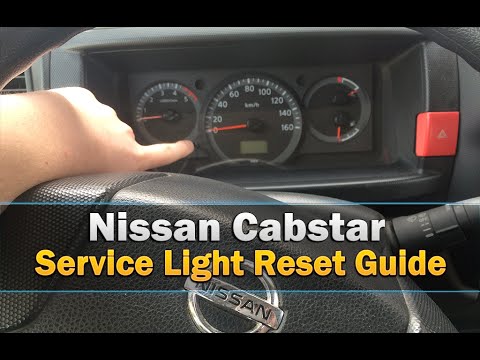
Before you can start, sit in the driver's seat of your Nissan CABStar. Activate the instrument cluster by turning the key in the ignition. Then, pres…

Nissan Cabstar
(2007-2013 /
MK 3)
In the Nissan Cabstar, just like in the Nissan Pathfinder, as mentioned in the video guide available here, there are common resets, for example, here…
Other guides you may be interested in
|
Frequently Asked QuestionsHow to Enter the Unlock Code for the Radio in the Nissan Micra?
In this tutorial, you will see how to enter the unlock code for the radio in the Nissan Micra, a very simple operation to perform in case of memory loss after replacing the battery. The code can be found in the documents provided at purchase or through one of the various online recovery services. First, turn on the instrument panel, then repeatedly press the "1" button until you reach the first digit of the code. Follow the same logic to enter the remaining 3 digits using the "2", "3", and "4" buttons, and confirm the entry with the up arrow button. by ScegliAuto More videos
|
|
For advertising on this site Write to info@scegliauto.com
ScegliAuto is not responsible for any inaccuracy of the data in the lists. To report any inaccuracy or your business (if you own the business in question), please write to info@scegliauto.com
Number of seconds to generate the page: 0.019
(c) ScegliAuto 2026 - info@scegliauto.com - Privacy policy VAT number: IT01247470535 |
