
|
Do it yourself
| |||
| ||||


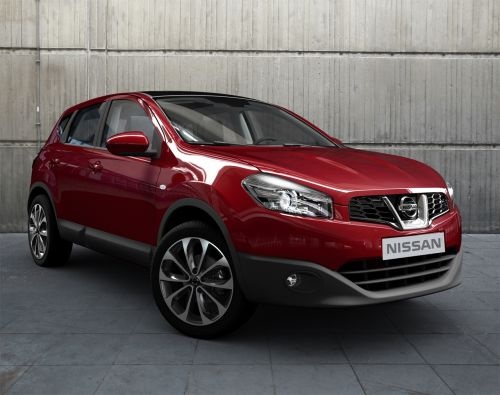
How to Reset the Service Light on the Nissan Qashqai
Model: Nissan Qashqai
- Years:
2006, 2007, 2008, 2009, 2010, 2011, 2012, 2013, 2014
Video tutorial
How to reset the service light on the Nissan Qashqai if it remains on even after the service has been performed and is not reset by the workshop? This article explains how. To reset the light, first, turn on the ignition, then quickly press the button on the right side of the dashboard, navigate to find the settings as shown in the tutorial video, turn the button to the right to access the settings, then navigate to the maintenance menu, select it by pressing the button, and then navigate to the service option. At this point, hold down the button, and the reset menu will appear. Select reset and confirm, then wait for the procedure to complete before restarting the ignition.
Posted on 20 October 2026 by ScegliAuto
Related tutorials
Nissan Qashqai
(2014-2022 /
J11)
In this article, we will explain the procedure for resetting the service light of the 2018 Nissan Qashqai in case it is not reset after a service. To…

Nissan Qashqai
(2006-2014 /
J10)
.. This video shows how to reset the service light on the Nissan Qashqai. First, start the instrument cluster. Then, rotate.. …

Nissan Qashqai
(2014-2022 /
J11)
To manually reset the service light of your 2018 Nissan Qashqai, you simply need to follow the steps described in the following guide. First of all, …
Other guides you may be interested in |
Replacing the Gear Knob on the Mercedes Sprinter MK 2
With regular use, the gear knob on the Mercedes Sprinter may show signs of wear that necessitate its replacement. To carry out the replacement, sit in the driver's seat, and using a pair of pliers, rotate the knob left and right to unlock it. Grip the knob and gently pull it off while ensuring that the spring mounted on the lever does not get lost. Take the new knob, align it with the gear pattern, tap it on gently, and finish inserting it using a rubber mallet. by ScegliAuto More videos
|
|
For advertising on this site Write to info@scegliauto.com
ScegliAuto is not responsible for any inaccuracy of the data in the lists. To report any inaccuracy or your business (if you own the business in question), please write to info@scegliauto.com
Number of seconds to generate the page: 0.017
(c) ScegliAuto 2026 - info@scegliauto.com - Privacy policy VAT number: IT01247470535 |
