
|
Do it yourself
| |||
| ||||


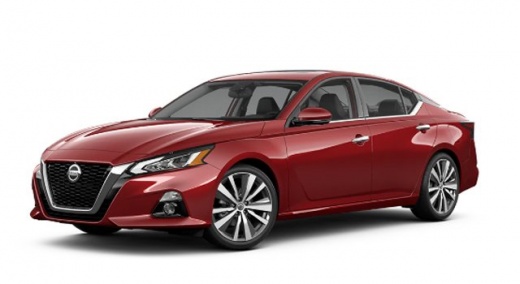
How to Reset the Maintenance Light on a 2025 Nissan Altima
Model: Nissan Altima
- Years:
2018, 2019, 2020, 2021, 2022, 2023, 2024, 2025, 2026
Video tutorial
In this new guide, you will find the procedure to manually reset the maintenance light on the instrument cluster of your 2025 Nissan Altima. First, ensure the vehicle's dashboard is already on, then locate the directional buttons on the left side of the steering wheel and press the button with the right arrow until the settings screen appears on the dashboard. At this point, select the "Maintenance" option and then "Oil and filter". Finally, select "Reset" and confirm the reset.
Posted on 29 October 2026 by ScegliAuto
Related tutorials
Nissan Altima
(2013-2018 /
L33)
To manually reset the maintenance light on your 2015 Nissan Altima, you must follow the procedure described in this new guide. First, turn on the ins…
Nissan Altima
(2018-2026 /
L34)
The procedure to reset the maintenance light on your 2020 Nissan Altima is very simple. In this guide, you will find all the necessary steps. First, …
Nissan Altima
(2018-2026 /
L34)
To correctly perform the manual reset of the maintenance light on your 2021 Nissan Altima, carefully follow the instructions in this guide. First, in…
Other guides you may be interested in
|
How to Remove the Armrest on the Dacia Duster
Today's information will show you the steps to remove and replace the driver's seat armrest on the Dacia Duster. First, access the rear of the vehicle and start lowering the rear hinge of the seat to access the inside of the armrest; then unclip the armrest pin to remove it from the outside, as shown in the video. At this point, carry out the repair or directly replace the entire armrest; secure it properly to the seat and check that it moves up and down without obstruction. by ScegliAuto More videos
|
|
For advertising on this site Write to info@scegliauto.com
ScegliAuto is not responsible for any inaccuracy of the data in the lists. To report any inaccuracy or your business (if you own the business in question), please write to info@scegliauto.com
Number of seconds to generate the page: 0.039
(c) ScegliAuto 2026 - info@scegliauto.com - Privacy policy VAT number: IT01247470535 |
