
|
Do it yourself
| |||
| ||||


How to Replace the Serpentine Belt on a Nissan Sunny?
Model: Nissan Sunny
N17
- Years 2011-2020
To replace the serpentine belt on a Nissan Sunny, open the hood to access the belt from the bottom of the engine compartment. The belt is located near the right front wheel, to the left of the engine block. Remove it by loosening the center nut on the tensioner pulley to reduce tension, allowing you to slide off the old belt. Then, install the new replacement belt by securing the center nut on the tensioner pulley and ensuring that the new belt rotates correctly.
Updated on 15 June 2026 by ScegliAuto
Video tutorial
Related tutorials
Nissan Sunny
(2011-2020 /
N17)
To replace the serpentine belt on the Nissan Sunny, you need to lift the car to access the belt from the bottom of the engine compartment: it will be…

Nissan Sunny
(2011-2020 /
N17)
To replace the water pump on the Nissan Sunny, open the hood to access the components inside the engine bay. This will allow you to locate the water …
Nissan Sunny
(1990-2000 /
B13)
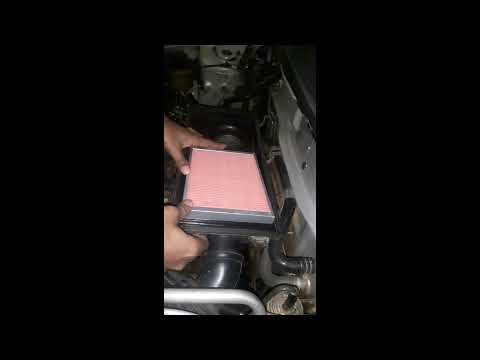
The air filter is one of the most important components in the engine compartment of your Nissan Sunny. Here’s how to replace it with a simple procedu…
Other guides you may be interested in
|
How to Replace the Cabin Filter on the Opel Grandland X
If you own an Opel Grandland X and want to know the steps to replace the cabin air filter, carefully read the following guide and follow the described steps. First, enter the vehicle and go to the passenger side. Then, locate the box containing the air filter in the lower side area of the dashboard. Remove the cover of the box and finally replace the old filter with the new one. Refit the cover, and you are done. by ScegliAuto More videos
|
|
For advertising on this site Write to info@scegliauto.com
ScegliAuto is not responsible for any inaccuracy of the data in the lists. To report any inaccuracy or your business (if you own the business in question), please write to info@scegliauto.com
Number of seconds to generate the page: 0.078
(c) ScegliAuto 2026 - info@scegliauto.com - Privacy policy VAT number: IT01247470535 |
