
|
Do it yourself
| |||
| ||||


Vauxhall Frontera - Tire pressure warning lightTire Pressure Warning Light Vauxhall Frontera (2024-2031 / ov 24) Vauxhall Frontera (2024-2026 / Ov24)
How to Reset the Tyre Warning Light on an Opel Frontera Always keep in mind that the tyre pressure of a vehicle must fall within the range specified by the manufacturer, and if this does not happen, whether due to a …Read all… Posted on 15 September 2026 by ScegliAuto  Vauxhall Frontera (2024-2026 / Ov24)
How to Reset the Tyre Pressure Monitoring System on an Opel Frontera 2025 In this video, we’ll show you how to reset the Tyre Pressure Monitoring System (TPMS) on an Opel Frontera 2025: first, ensure all tyres are inflated to the …Read all… Posted on 15 March 2026 by ScegliAuto 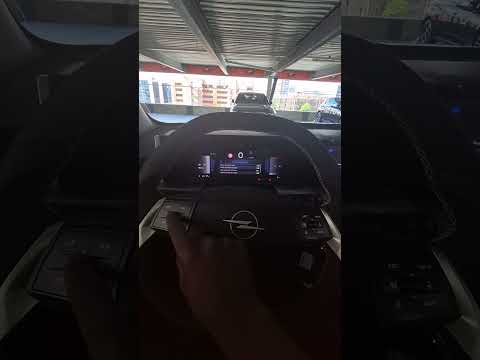 Vauxhall Frontera (2024-2026 / Ov24)
How to reset the tire pressure indicator on the Opel Frontera The following steps will show us how to reset the tire pressure warning light of the Opel Frontera; before resetting the TPMS sensors, it is necessary for all …Read all… Posted on 27 October 2025 by ScegliAuto Body (1) Control unit (1) Tail light (1) Diesel fuel filter (1) Engine oil (1) Fuel pump (1) Instrument cluster (1) Fuse box (1) Tire pressure warning light (3) |
How to Reset the Tyre Warning Light on the Suzuki Swift
If the orange tyre warning light on the instrument cluster of your latest Suzuki Swift remains illuminated despite no loss of pressure, don't worry because you can easily reset it by following this procedure. First, get into the driver's seat and start the ignition, then press and hold the button located below the speedometer and release it as soon as the menu screen appears on the display. At this point, select "TPMS" and then press "TPMS Mode". Finally, select the "Load Mode" option and proceed with the manual reset of the warning light. by ScegliAuto More videos
|
|
For advertising on this site Write to info@scegliauto.com
ScegliAuto is not responsible for any inaccuracy of the data in the lists. To report any inaccuracy or your business (if you own the business in question), please write to info@scegliauto.com
Number of seconds to generate the page: 0.005
(c) ScegliAuto 2026 - info@scegliauto.com - Privacy policy VAT number: IT01247470535 |
