
|
Do it yourself
| |||
| ||||


How to reset the service light of the Opel Karl
Model: Vauxhall Karl
MK 1
- Years 2015-2019
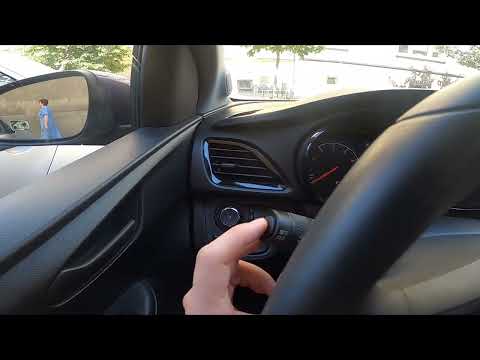
To reset the service light on an Opel Karl vehicle, it is essential that all necessary maintenance operations have been carried out in the workshop for the vehicle to be in circulation. To reset the light, we must first turn on the instrument panel. Immediately after, it is necessary to press the Menu button located on the left lever of the steering wheel. Select the option for resetting the service and hold down the SET button until the light turns off. Wait a few seconds for the light to reset, then release the SET button and turn off the vehicle.
Posted on 1 September 2024 by ScegliAuto
Video tutorial
Related tutorials
Vauxhall Karl
(2015-2019 /
MK 1)
In order to reset the Service light of the Opel Karl, you need to turn on the instrument panel by inserting the ignition key into the ignition switch…

Vauxhall Karl
(2015-2019 /
MK 1)
In order to reset the tire pressure warning light on the Opel Karl, you need to inflate the tires to the recommended pressure value: this value is in…
Vauxhall Karl
(2015-2019 /
MK 1)
In order to reset the tire pressure warning light on the Opel Karl, you need to inflate the tires to the recommended pressure values: these are indic…
Other guides you may be interested in
|
How to Reset the "Service" Light on a Nissan Qashqai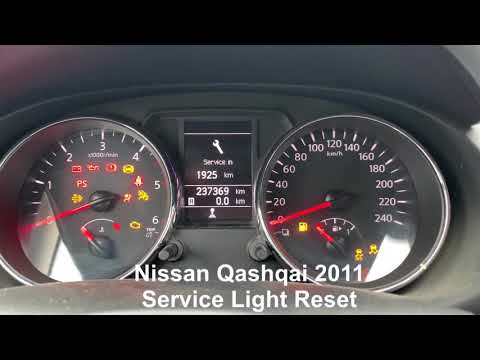
Before you begin, turn on the instrument panel without starting the engine. Once done, press the button at the bottom right of the instrument cluster. Then, rotate this button clockwise until the word "Maintenance" is highlighted, and press again. This will bring up another menu on the multifunction display. Select "Service". Once "Service" is highlighted, hold down the button until you are given the option to reset it. Select "Reset" and then "Confirm". Once confirmed, you will have successfully completed the reset. by ScegliAuto More videos
|
|
For advertising on this site Write to info@scegliauto.com
ScegliAuto is not responsible for any inaccuracy of the data in the lists. To report any inaccuracy or your business (if you own the business in question), please write to info@scegliauto.com
Number of seconds to generate the page: 0.050
(c) ScegliAuto 2026 - info@scegliauto.com - Privacy policy VAT number: IT01247470535 |
