
|
Do it yourself
| |||
| ||||


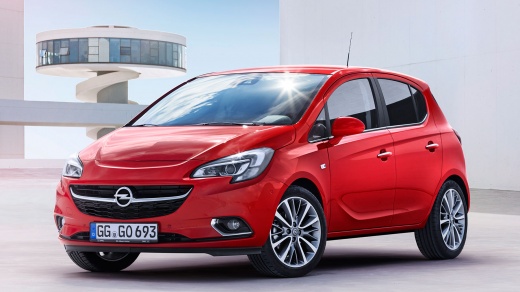
How to Program the Tyre Sensors on an Opel Corsa E
Model: Vauxhall Corsa
Corsa E
- Years:
2014, 2015, 2016, 2017, 2018, 2019
Video tutorial
In this video, you can see how to program the tyre sensors on an Opel Corsa E. You will need a tyre pressure reader. The same one used by the YouTuber can be found on Amazon with code B0BSC5HGZ9 for £10.99, with free delivery for Prime customers. From the lever on the left side of the steering wheel, select the menu, and use the up/down arrows to scroll to the tyre pressure menu. Press the button at the top of the lever, and the display will ask if you are sure you want to reprogram. Confirm with 'yes', and the vehicle will respond with a double honk. Now, take your tool and activate it near the front left tyre: a honk will confirm the update. Continue around the vehicle, and the last tyre will give two honks: the operation is complete.
Updated on 30 October 2026 by ScegliAuto
Related tutorials
Vauxhall Corsa
(2014-2019 /
Corsa E)
Today's information will show us how to reset the tire pressure sensors of the Opel Corsa; before resetting the pressure warning light, it is necessa…

Vauxhall Corsa
(2014-2019 /
Corsa E)
Today's information will show us how to reset the tire pressure warning on the Opel Corsa; before resetting the TPMS sensors, it is necessary for all…

Vauxhall Corsa
(2019-2026 /
Corsa F)
Today's instructions will allow us to reset the tire pressure warning light on the Opel Corsa. Before resetting the TPMS sensors, it is necessary for…
Other guides you may be interested in
|
How to Set the Time in an Audi A4?
In this tutorial, you will see how to set the time in an Audi A4, a very simple and quick operation to perform after replacing the battery or when the time changes. First, insert the key and turn on the instrument cluster. Then, press the "SETUP" button located on the center console. Next, press the upper left arrow button, navigate to the "Time" option, and use the central knob to adjust the clock. Finally, set any necessary formats and save by returning to the main screen. by ScegliAuto More videos
|
|
For advertising on this site Write to info@scegliauto.com
ScegliAuto is not responsible for any inaccuracy of the data in the lists. To report any inaccuracy or your business (if you own the business in question), please write to info@scegliauto.com
Number of seconds to generate the page: 0.029
(c) ScegliAuto 2026 - info@scegliauto.com - Privacy policy VAT number: IT01247470535 |
