
|
Do it yourself
| |||
| ||||


How do you reset the Service light on the Opel Meriva?
Model: Vauxhall Meriva
MK 2, Meriva B
- Years 2010-2017
The Service indicator that appears on the instrument panel of the Opel Meriva can be reset by turning on the instrument panel and then holding down the MENU button on the lever to the left of the steering wheel: in this way it will be possible to navigate the menu using the up and down arrows, to find the option for the remaining oil life. At this point, you will need to hold down the SET/CLR button at the end of the lever for a few seconds: this will reset the remaining oil life to 100% and you will notice that the Service indicator will disappear.
Posted on 26 March 2025 by ScegliAuto
Video tutorial
Related tutorials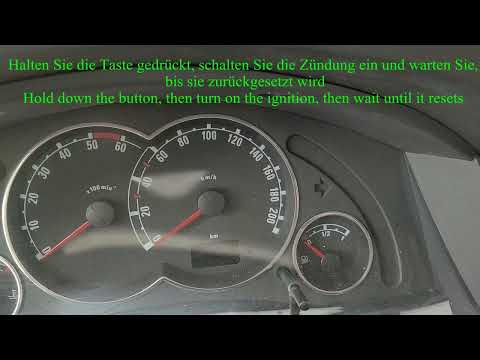
Vauxhall Meriva
(2003-2010 /
MK 1, Meriva A)
In the following mini guide dedicated to all Opel Meriva Mk1 owners we will find out how to correctly reset the service light without having to use a…

Vauxhall Meriva
(2003-2010 /
MK 1, Meriva A)
When the service light comes on in a vehicle, it indicates that the service is due soon, so be prepared to replace the engine oil, the oil filter, an…

Vauxhall Meriva
(2003-2010 /
MK 1, Meriva A)
To reset the Service light that appears on the instrument panel of the Opel Meriva, you must press and hold the button located in the bottom right of…
Other guides you may be interested in
|
How to Replace a Damaged Wheel on a Nissan Qashqai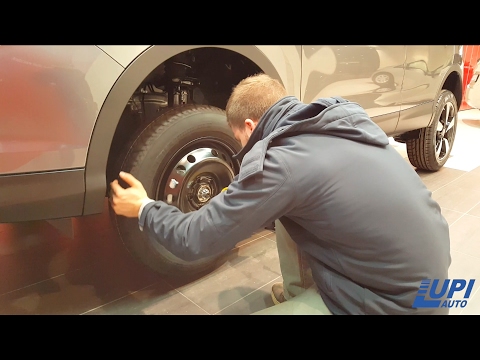
Learn how to replace a damaged wheel on a Nissan Qashqai: open the boot and take the wheel removal kit which includes: jack, jack lever, screwdriver, wheel nut key (if present), telescopic wrench, spare wheel. Position the jack under the jacking point of the vehicle (under the stiffest part of the chassis), lift the car slightly and loosen the wheel nuts. Raise the car with the jack lever and unscrew the nuts, then remove the damaged wheel. Fit the spare wheel onto the hub with the respective nuts and lower the car to the ground. Always remember to store the removal kit back in the boot. by ScegliAuto More videos
|
|
For advertising on this site Write to info@scegliauto.com
ScegliAuto is not responsible for any inaccuracy of the data in the lists. To report any inaccuracy or your business (if you own the business in question), please write to info@scegliauto.com
Number of seconds to generate the page: 0.069
(c) ScegliAuto 2026 - info@scegliauto.com - Privacy policy VAT number: IT01247470535 |
