
|
Do it yourself
| |||
| ||||


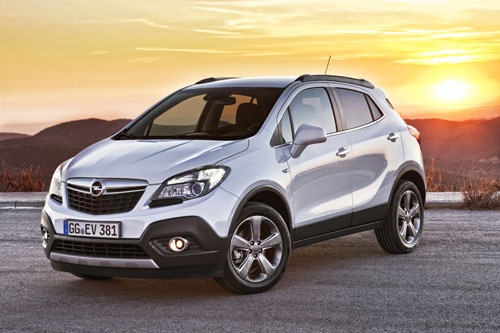
How to Reset the Service Light on an Opel Mokka
Model: Vauxhall Mokka
Mokka A
- Years:
2012, 2013, 2014, 2015, 2016, 2017, 2018, 2019
Video tutorial
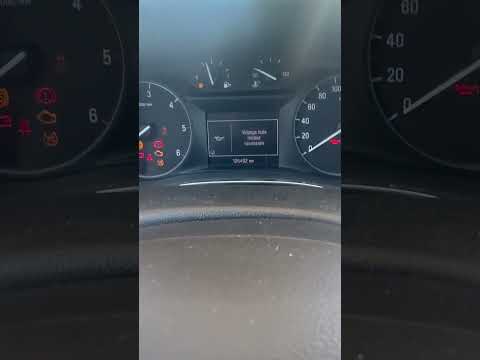
You can clear the Service light displayed on the instrument cluster of the Opel Mokka by turning on the instrument cluster and then pressing the MENU button located on the lever to the left of the steering wheel. Then, navigate through the menu using the SET/CLR button until you find the option indicating the oil life remaining. Once this option appears, press and hold the SET/CLR button and select "Yes" when the confirmation message appears. This way, you will notice that the Service light disappears, and the cluster can be turned off.
Posted on 11 November 2026 by ScegliAuto
Related tutorials
Vauxhall Mokka
(2012-2019 /
Mokka A)
By watching this video tutorial, we learn how to reset the Service light of the Opel Mokka without using any external tools, but only using the butto…

Vauxhall Mokka
(2020-2026 /
Mokka B)
.. Let’s see how to reset the service light on an Opel Mokka-e: the vehicle must be off; press and hold the "reset" b.. …
Vauxhall Mokka
(2012-2019 /
Mokka A)
To reset the Service light on the Opel Mokka, turn on the instrument cluster and then press the MENU button located on the lever to the left of the s…
Other guides you may be interested in
|
How to Disable the Passenger Airbag in a Mercedes A-Class?
You can disable the passenger airbag in the specified vehicle at your own risk using the vehicle's key. There is a switch next to the steering wheel, on the driver's side, at knee height, through which you can activate and deactivate the airbag. In the video provided, you can clearly see the procedure, noting how the airbag indicator light, along with a message, alerts the driver about the activation or deactivation status. by ScegliAuto More videos
|
|
For advertising on this site Write to info@scegliauto.com
ScegliAuto is not responsible for any inaccuracy of the data in the lists. To report any inaccuracy or your business (if you own the business in question), please write to info@scegliauto.com
Number of seconds to generate the page: 0.036
(c) ScegliAuto 2026 - info@scegliauto.com - Privacy policy VAT number: IT01247470535 |
