
|
Do it yourself
| |||
| ||||


How to Remove the Radio on an Opel Vectra
Model: Vauxhall Vectra
Vectra C, MK 3
- Years 2002-2008
Replacing the radio on an Opel Vectra, here’s how to do it. Use the original or aftermarket metal keys to remove the stereo from the Ducato. Remove the plastic cover caps on the sides of the radio. Insert the keys into the holes on the plastic trim of the stereo, pull the stereo towards you as shown in the video, and carefully extract the radio while being mindful of the various wiring (disconnect the power connectors and the antenna cable). Insert the new radio or a generic brand with the appropriate adapter for the input and for connecting the terminals.
Updated on 18 March 2026 by ScegliAuto
Video tutorial
Related tutorials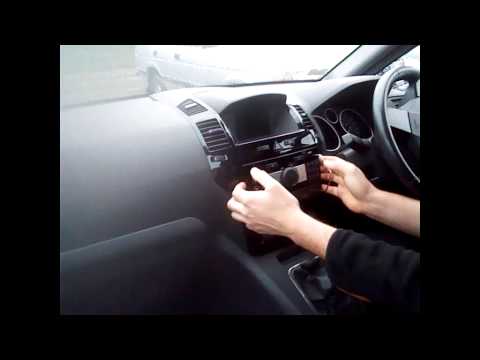
Vauxhall Vectra
(2002-2008 /
Vectra C, MK 3)
Removing the car radio is extremely simple as long as you have the appropriate extraction keys: these are high-strength steel wires shaped like a "U"…
Vauxhall Vectra
(2002-2008 /
Vectra C, MK 3)
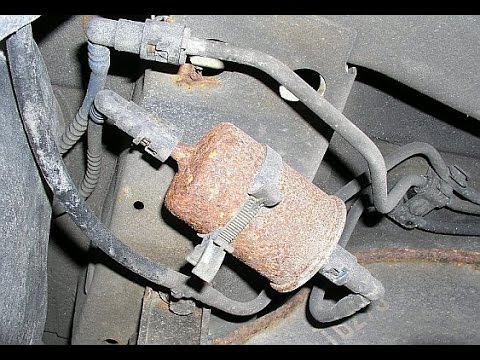
Removing the fuel filter on an Opel Vectra. Here’s how to do it. Lift the car on a column lift or jack and locate the fuel filter as shown in the vid…
Vauxhall Vectra
(2002-2008 /
Vectra C, MK 3)
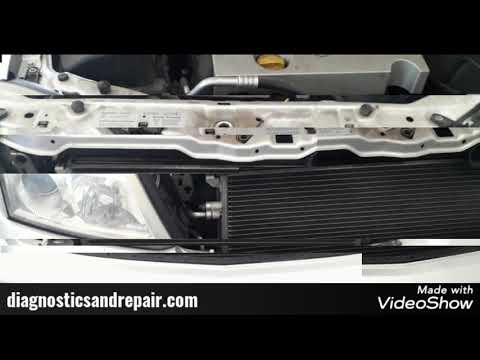
Here’s how to remove the air compressor from an Opel Vectra. Open the engine bay, remove the plates securing the radiator at the top, then lift the c…
Other guides you may be interested in
|
How to Open the Bonnet on the Lancia Y
To open the bonnet on this vehicle, follow these simple instructions: first, open the driver's door and locate the lever positioned just below the dashboard, marked with an image of the vehicle with the bonnet open. Pull this lever towards you until you hear a "click" indicating the bonnet is released. Next, exit the cabin and stand in front of the bonnet to disengage the safety catch and complete the opening. To do this, slightly lift the bonnet, locate the yellow lever underneath, and pull it to the left to fully release and open the bonnet. by ScegliAuto More videos
|
|
For advertising on this site Write to info@scegliauto.com
ScegliAuto is not responsible for any inaccuracy of the data in the lists. To report any inaccuracy or your business (if you own the business in question), please write to info@scegliauto.com
Number of seconds to generate the page: 0.360
(c) ScegliAuto 2026 - info@scegliauto.com - Privacy policy VAT number: IT01247470535 |
