
|
Do it yourself
| |||
| ||||


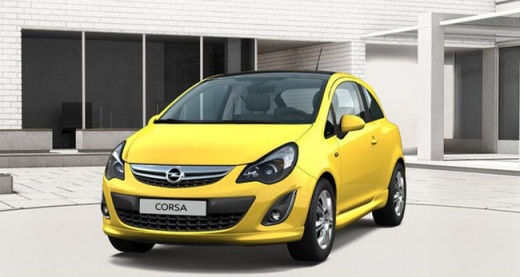
How to Install a 2DIN Car Radio in an Opel Corsa D
Model: Vauxhall Corsa
Corsa D
- Years:
2006, 2007, 2008, 2009, 2010, 2011, 2012, 2013, 2014
Video tutorial
In this video, learn how to install a 2DIN car radio in an Opel Corsa D: the YouTuber has pointed out a device from AliExpress. It is code 4001173944726 priced at £91.03 with free shipping. Start by removing the old radio from its housing and disconnecting the electrical plugs. Along with the device, you will find the GPS and various adapters, which we will install and position in the radio compartment. For power when the vehicle is off, it depends on how the wires are connected. There is a yellow wire that provides 12 volts constant and a red wire that gives 12 volts on the contact setting 2 (when the dashboard also lights up). Using the original cable and connectors, it works exactly like the original radio. The steering wheel controls also function.
Updated on 1 August 2026 by ScegliAuto
Related tutorials
Vauxhall Corsa
(2006-2014 /
Corsa D)
This guide shows how to remove and replace the standard radio with an Android or 2DIN unit in the Opel Corsa, following these simple steps. First, ge…

Vauxhall Corsa
(2014-2019 /
Corsa E)
In this tutorial we can see how to replace the radio in the Opel Corsa, an extremely simple and quick operation. First of all, make sure that the key…

Vauxhall Corsa
(2000-2006 /
Corsa C)
This guide shows you how to remove and replace the standard radio with an Android Auto compatible unit in the Opel Corsa. First, get inside the vehic…
Other guides you may be interested in
|
How to Set the Time in an Audi A4?
In this tutorial, you will see how to set the time in an Audi A4, a very simple and quick operation to perform after replacing the battery or when the time changes. First, insert the key and turn on the instrument cluster. Then, press the "SETUP" button located on the center console. Next, press the upper left arrow button, navigate to the "Time" option, and use the central knob to adjust the clock. Finally, set any necessary formats and save by returning to the main screen. by ScegliAuto More videos
|
|
For advertising on this site Write to info@scegliauto.com
ScegliAuto is not responsible for any inaccuracy of the data in the lists. To report any inaccuracy or your business (if you own the business in question), please write to info@scegliauto.com
Number of seconds to generate the page: 0.035
(c) ScegliAuto 2026 - info@scegliauto.com - Privacy policy VAT number: IT01247470535 |
