
|
Do it yourself
| |||
| ||||


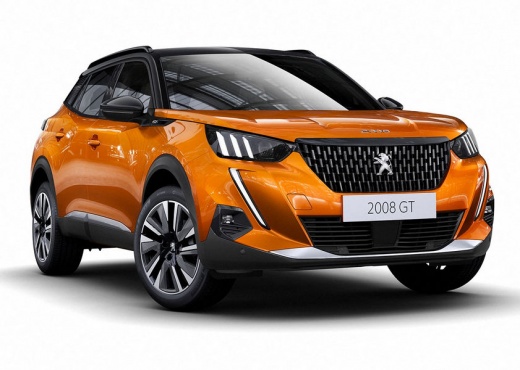
How to Connect Your Smartphone to Your Car's Sat Nav
Model: Peugeot 2008
MK 2
- Years:
2019, 2020, 2021, 2022, 2023, 2024, 2025, 2026
This video is currently unavailable
How do you connect your phone's navigation to your car's screen? Let's take an example with a Peugeot 2008. In this model - as in many others from different brands - even if the sat nav is not built into the car, we still have Android Auto. You will need a USB cable to connect to the car's socket. This will activate the mirroring function, displaying the functions from your phone on the car's screen, including Google Maps or Waze. Using these applications, you can enter the desired address just like a built-in sat nav. Maps or Waze will guide you with both visual and voice instructions. Maps also has a voice assistant: by pressing the microphone, you can request directions by saying "Hey Google, take me to...". Additionally, phone maps update automatically, so you don't need to request - and pay for - updates when you have a service.
Updated on 26 May 2026 by ScegliAuto
Related tutorials
Peugeot 2008
(2019-2026 /
MK 2)
Here are the instructions to connect your smartphone to the multimedia system of the Peugeot 2008 in simple steps. First, get into the vehicle and tu…

Peugeot 2008
(2019-2026 /
MK 2)
The GPS is the main component of the satellite navigation system, as its functionality depends on it, provided that the maps are always up to date. B…
Peugeot 2008
(2019-2026 /
MK 2)
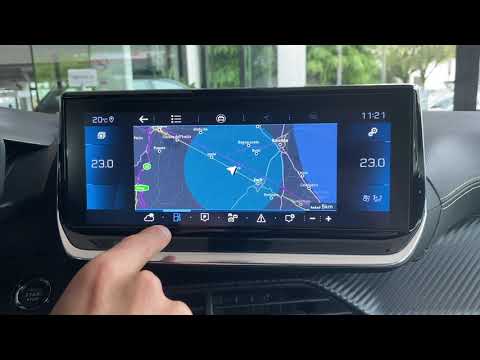
In this video, we will look at the guide for the new infotainment system and radio in the second generation Peugeot 2008. Get inside the car and pres…
Other guides you may be interested in |
Frequently Asked QuestionsHow to reset the Service light on a 2019 Jeep Renegade?
The Service light, depicted as a yellow spanner, illuminates as scheduled to remind the driver that it is time for scheduled maintenance. This means that the set mileage has been reached, or the expected time has passed. The procedure involves turning on the instrument cluster, pressing the accelerator three times, and then turning off the ignition. After this, keep the brake pressed, turn the ignition back on, and then turn it off again. Upon the next ignition, you will notice that the light has been reset. by ScegliAuto More videos
|
|
For advertising on this site Write to info@scegliauto.com
ScegliAuto is not responsible for any inaccuracy of the data in the lists. To report any inaccuracy or your business (if you own the business in question), please write to info@scegliauto.com
Number of seconds to generate the page: 0.010
(c) ScegliAuto 2026 - info@scegliauto.com - Privacy policy VAT number: IT01247470535 |
