
|
Do it yourself
| |||
| ||||


Peugeot 2008 2020 Multimedia System/Radio Information
Model: Peugeot 2008
MK 2
- Years 2019-2026
In this video, we will look at the guide for the new infotainment system and radio in the second generation Peugeot 2008. Get inside the car and press the multimedia system power button; it is also present on the piano key layout found below the central display, which allows you to change the screen display and switch directly to music. We also have the new navigation system, and it is possible to connect your smartphone via Bluetooth; Android Auto and Apple CarPlay are also available, along with two USB ports.
Updated on 8 April 2026 by ScegliAuto
Video tutorial
Related tutorials
Peugeot 2008
(2019-2026 /
MK 2)
Let's see how to reset the tyre pressure monitoring system on a Peugeot 2008. First, adjust the pressure of all tyres to the values recommended by Pe…
Peugeot 2008
(2013-2019 /
MK 1)
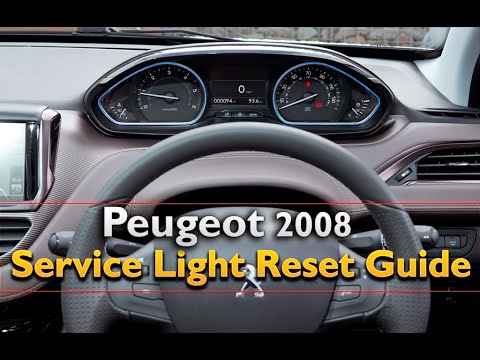
Follow these steps to reset the service on your Peugeot 2008. Turn on the instrument cluster with the appropriate remote key; press the buttons near …

Peugeot 2008
(2019-2026 /
MK 2)
Here are the instructions to connect your smartphone to the multimedia system of the Peugeot 2008 in simple steps. First, get into the vehicle and tu…
Other guides you may be interested in
|
How to Open the Bonnet on the Lancia Y
To open the bonnet on this vehicle, follow these simple instructions: first, open the driver's door and locate the lever positioned just below the dashboard, marked with an image of the vehicle with the bonnet open. Pull this lever towards you until you hear a "click" indicating the bonnet is released. Next, exit the cabin and stand in front of the bonnet to disengage the safety catch and complete the opening. To do this, slightly lift the bonnet, locate the yellow lever underneath, and pull it to the left to fully release and open the bonnet. by ScegliAuto More videos
|

|
For advertising on this site Write to info@scegliauto.com
ScegliAuto is not responsible for any inaccuracy of the data in the lists. To report any inaccuracy or your business (if you own the business in question), please write to info@scegliauto.com
Number of seconds to generate the page: 0.676
(c) ScegliAuto 2026 - info@scegliauto.com - Privacy policy VAT number: IT01247470535 |
