
|
Do it yourself
| |||
| ||||



How to Reset the Maintenance Light on a Peugeot 301
Model: Peugeot 301
MK 1
- Years:
2012, 2013, 2014, 2015, 2016, 2017, 2018, 2019
Video tutorial
To reset the maintenance light (or service light) on your Peugeot 301, follow these simple steps. First, sit inside your vehicle and ensure the ignition is completely off before starting the reset procedure. Next, insert the key and turn on the ignition. At the same time, press and hold the button located just below the tachometer. Release the button as soon as the display starts to flash, then press and hold it again until the reset is complete.
Updated on 31 May 2026 by ScegliAuto
Related tutorials
Peugeot 301
(2012-2019 /
MK 1)
To reset the tire pressure light on a Peugeot 301, inflate the tires to the recommended pressure value: this value is indicated on the sticker attach…

Peugeot 301
(2012-2019 /
MK 1)
If you own a Peugeot 301 and want to manually reset the oil light on the instrument cluster after performing an oil change, follow this guide and app…
Peugeot 301
(2012-2019 /
MK 1)
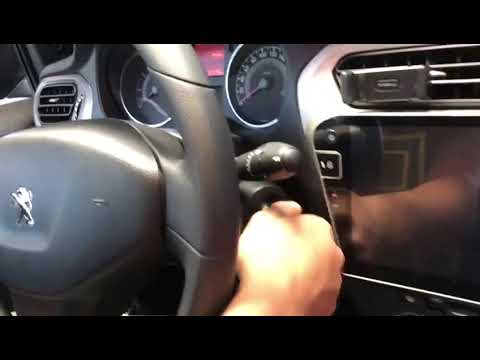
Let's see how to reset the service light on a Peugeot 301. First, get in the vehicle, close all four doors, insert the key into the ignition, and tur…
ScegliAuto offers an extensive international collection of automotive tutorials available in 12 languages. Each guide combines instructional videos with original explanations written by experienced human editors, along with information about the car models covered.
Other guides you may be interested in |
How to Replace the Position Light Bulbs on the Mini Cooper R56?
Learn how to replace the position light bulbs on a Mini Cooper R56. For easier access, turn the wheels outward to create enough space to open the flap under the wheel arch, rotating it counterclockwise before removing it. Grip the position light holder and rotate it 45 degrees (a quarter turn) counterclockwise to unlock it, then pull it out. Once the holder is removed, extract the blown bulb and replace it with a new one. by ScegliAuto More videos
|
|
For advertising on this site Write to info@scegliauto.com
ScegliAuto is not responsible for any inaccuracy of the data in the lists. To report any inaccuracy or your business (if you own the business in question), please write to info@scegliauto.com
Number of seconds to generate the page: 0.084
(c) ScegliAuto 2026 - info@scegliauto.com - Privacy policy - About us VAT number: IT01247470535 |
