
|
Do it yourself
| |||
| ||||



How to Reset the Service Light on the Peugeot 308?
Model: Peugeot 308
T9, MK 2
- Years:
2013, 2014, 2015, 2016, 2017, 2018, 2019, 2020, 2021
This video is currently unavailable
To reset the Service light on the Peugeot 308, press and hold the button located on the right side of the instrument cluster while it is off: continue holding the button, insert the ignition key into the lock and turn it to switch on the instrument cluster. You will notice a countdown starting from ten, after which you can release the button: once this procedure is completed, check that the light is off and then you can switch off the instrument cluster.
Updated on 14 August 2026 by ScegliAuto
Related tutorials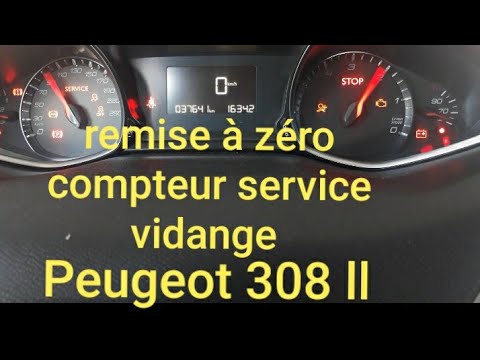
Peugeot 308
(2013-2021 /
T9, MK 2)
On the Peugeot 308, reset the Service light by pressing and holding the button located on the right side of the instrument cluster, where three 0s ar…

Peugeot 308
(2007-2014 /
T7, MK 1)
From the instrument cluster of the Peugeot 308, you can completely clear the Service light that appears by pressing and holding the button located on…

Peugeot 308
(2007-2014 /
T7, MK 1)
The Service light that is shown on the instrument panel of the Peugeot 308 can be reset by holding down the button on the right side of the instrumen…
Other guides you may be interested in
|
How to Disable the Passenger Airbag in a Mercedes A-Class?
You can disable the passenger airbag in the specified vehicle at your own risk using the vehicle's key. There is a switch next to the steering wheel, on the driver's side, at knee height, through which you can activate and deactivate the airbag. In the video provided, you can clearly see the procedure, noting how the airbag indicator light, along with a message, alerts the driver about the activation or deactivation status. by ScegliAuto More videos
|
|
For advertising on this site Write to info@scegliauto.com
ScegliAuto is not responsible for any inaccuracy of the data in the lists. To report any inaccuracy or your business (if you own the business in question), please write to info@scegliauto.com
Number of seconds to generate the page: 0.119
(c) ScegliAuto 2026 - info@scegliauto.com - Privacy policy VAT number: IT01247470535 |
