
|
Do it yourself
| |||
| ||||


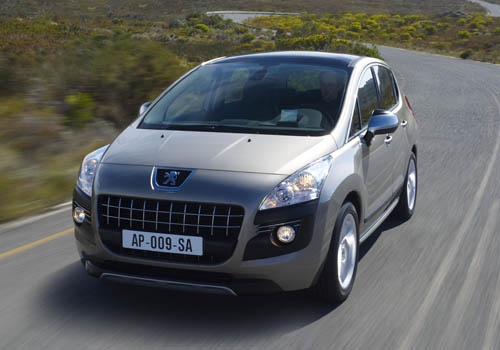
How to Replace the Car Radio in the Peugeot 3008?
Model: Peugeot 3008
MK 1, T84
- Years:
2009, 2010, 2011, 2012, 2013, 2014, 2015, 2016
This video is currently unavailable
In this tutorial, learn how to replace the car radio in the Peugeot 3008, a very simple and quick operation. For this, you will need four specific keys as shown in the video, which can be easily found online. First, ensure the vehicle is off to operate safely, then insert the keys into the slots at the four corners of the radio. Next, pull the radio out of its housing, disconnect the various rear connectors, and fit the replacement following the instructions for your specific model.
Updated on 1 September 2026 by ScegliAuto
Related tutorials
Peugeot 3008
(2009-2016 /
MK 1, T84)
Today's steps will show you how to remove and replace the standard radio with an Android type in the Peugeot 3008. First, get inside the vehicle and …

Peugeot 3008
(2009-2016 /
MK 1, T84)
How to remove the radio on a Peugeot 3008? Follow these steps carefully: use the original or aftermarket metal keys to remove the stereo from the 300…

Peugeot 3008
(2009-2016 /
MK 1, T84)
In this guide we will see the instructions that will allow us to disassemble and replace the car radio and the cover of the central console of the Pe…
Other guides you may be interested in |
Frequently Asked QuestionsHow to Set the Time in an Audi A4?
In this tutorial, you will see how to set the time in an Audi A4, a very simple and quick operation to perform after replacing the battery or when the time changes. First, insert the key and turn on the instrument cluster. Then, press the "SETUP" button located on the center console. Next, press the upper left arrow button, navigate to the "Time" option, and use the central knob to adjust the clock. Finally, set any necessary formats and save by returning to the main screen. by ScegliAuto More videos
|
|
For advertising on this site Write to info@scegliauto.com
ScegliAuto is not responsible for any inaccuracy of the data in the lists. To report any inaccuracy or your business (if you own the business in question), please write to info@scegliauto.com
Number of seconds to generate the page: 0.069
(c) ScegliAuto 2026 - info@scegliauto.com - Privacy policy VAT number: IT01247470535 |
