
|
Do it yourself
| |||
| ||||


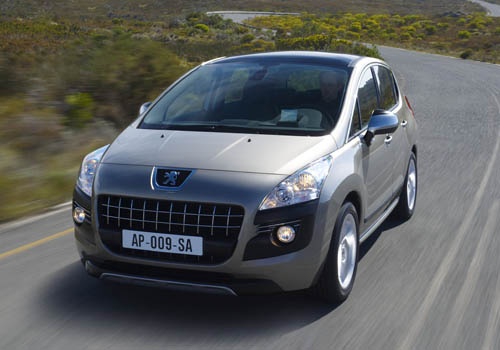
How to Reset the AdBlue Warning Light on a Peugeot 3008
Model: Peugeot 3008
MK 1, T84
- Years:
2009, 2010, 2011, 2012, 2013, 2014, 2015, 2016
Video tutorial
The illumination of the AdBlue warning light on a Peugeot 3008 indicates a low level of fluid in the tank. To reset the warning light, you will need to top up the fluid. The fluid top-up can be done independently by purchasing a 10-litre can online or at an auto parts store. Start the procedure by inserting the diagnostic computer into the vehicle's OBD port, then open the tank and pour in the fluid. Reconnect to the computer and perform the reset by confirming the prompts from the computer.
Updated on 20 September 2026 by ScegliAuto
Related tutorials
Peugeot 3008
(2016-2023 /
P84, MK 2)
Today, we will see in this brief guide the procedure necessary to reset the AdBlue warning light on the Peugeot 3008 1.5 BlueHDi. Before resetting th…

Peugeot 3008
(2016-2023 /
P84, MK 2)
In this guide, we will see the instructions that will allow us to reset the AdBlue warning light on the Peugeot 3008. To reset the AdBlue refill warn…
Peugeot 3008
(2016-2023 /
P84, MK 2)
In this video tutorial, see how to top up the AdBlue fluid to reduce CO2 emissions on the Peugeot 3008 1.5 BlueHDI, as well as on all other models wi…
Other guides you may be interested in
|
Frequently Asked QuestionsHow to Reset the Tyre Warning Light on the Suzuki Swift
If the orange tyre warning light on the instrument cluster of your latest Suzuki Swift remains illuminated despite no loss of pressure, don't worry because you can easily reset it by following this procedure. First, get into the driver's seat and start the ignition, then press and hold the button located below the speedometer and release it as soon as the menu screen appears on the display. At this point, select "TPMS" and then press "TPMS Mode". Finally, select the "Load Mode" option and proceed with the manual reset of the warning light. by ScegliAuto More videos
|
|
For advertising on this site Write to info@scegliauto.com
ScegliAuto is not responsible for any inaccuracy of the data in the lists. To report any inaccuracy or your business (if you own the business in question), please write to info@scegliauto.com
Number of seconds to generate the page: 0.017
(c) ScegliAuto 2026 - info@scegliauto.com - Privacy policy VAT number: IT01247470535 |
