
|
Do it yourself
| |||
| ||||


How to Check the Timing Belt on the Peugeot 208
Model: Peugeot 208
UB, UJ, UP, MK 2, UW
- Years 2019-2026
In this video, we will see how to check the condition of the oil-bath timing belt on the 1.2 Puretech PSA engines. Unfortunately, this system makes it less durable than others, as debris ends up in the oil and clogs the pickup. A first check can be done visually from the cap. Peugeot recommends checking the thickness with a special tool, which can be found on Amazon under code B09QT5PNSX for £22.69, with free delivery for Prime customers. If the belt degrades, it expands and no longer fits the dimensions of the gauge. Remember that Stellantis replaces the belt within 6 years or 100,000 miles, even out of warranty (provided all service intervals have been met within the Peugeot network). In the first version of the 208, the cap is protected by a mesh, making it a bit more cumbersome due to a special system - which you can see in the video - for inserting the gauge into the hole. It is very important to use the correct oil.
Updated on 24 September 2026 by ScegliAuto
Video tutorial
Related tutorials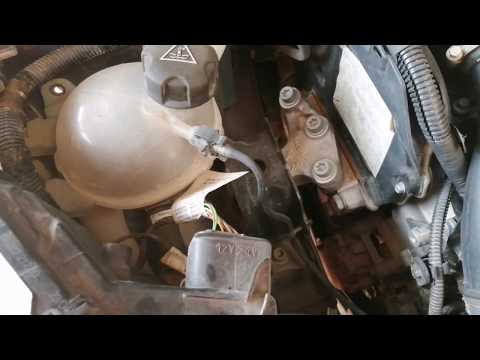
Peugeot 208
(2012-2019 /
A9, MK 1)
Today's guide provides the main instructions for removing and replacing the timing belt on the Peugeot 208 1.6 HDI; for this engine type, the manufac…

Peugeot 208
(2012-2019 /
A9, MK 1)
In this guide we will see the main instructions on how to dismantle and replace the timing belt of the Peugeot 208 1.2. First, lift the vehicle and s…

Peugeot 208
(2012-2019 /
A9, MK 1)
In this video tutorial, you can see how to replace the timing belt on the Peugeot 208. First, lift the bonnet and secure it with the appropriate prop…
Other guides you may be interested in
|
How to set the clock on the Opel Zafira
Setting the clock to the current Italian time on an Opel Zafira model B vehicle is a very simple operation, which can also be done independently thanks to our short instructional video. The first thing to do is to turn on the instrument panel and then press the SETTING button, located on the central dashboard. Once inside the menu, use the buttons to navigate to the clock setting. Change the hours and minutes and restart the instrument panel. If the clock is not updated, a diagnosis may be necessary at the radio or vehicle control unit. by ScegliAuto More videos
|

|
For advertising on this site Write to info@scegliauto.com
ScegliAuto is not responsible for any inaccuracy of the data in the lists. To report any inaccuracy or your business (if you own the business in question), please write to info@scegliauto.com
Number of seconds to generate the page: 0.095
(c) ScegliAuto 2026 - info@scegliauto.com - Privacy policy VAT number: IT01247470535 |
