
|
Do it yourself
| |||
| ||||


How to Reset the Service on a Piaggio Vespa GTS 300 Scooter?
Model: Piaggio Vespa Gts 300
Video tutorial
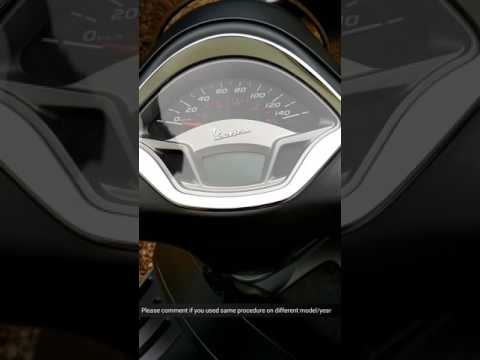
As shown in this tutorial, resetting the service on a Piaggio Vespa GTS 300 scooter is an extremely simple and quick operation. Before proceeding, ensure all required maintenance tasks have been completed. Start by inserting the key and turning on the instrument panel, then scroll through the various display screens until you reach the battery charge level. Once done, press and hold the "MODE" button for about 10 seconds, or for as long as necessary until the spanner warning light disappears completely. Finally, restart the ignition.
Updated on 21 July 2026 by ScegliAuto
Related tutorials
Vespa Gts 300
In this tutorial, we will see how to reset the oil service light on a Piaggio Vespa GTS 300 scooter, an extremely simple and quick operation to be pe…

Vespa Gts 300
If you want to manually reset the service light on the central display of your Vespa GTS 300, all you have to do is read the following guide and foll…
Vespa Gts 300
Today, you will see, in this short and simple guide, how to adjust the clock on the Piaggio Vespa GTS 300 scooter. First, place the scooter on its ce…
|
How to Replace the Air Filter on a Suzuki V-Strom 800?
To replace the air filter on the Suzuki V-Strom 800, loosen the screws securing the seat to the bike. Once these are loosened, remove the seat to access the components underneath. You will find the air filter box, which needs to be opened by loosening the screws that hold the cover. Once the box is open, you can access the filter inside. Insert the new filter, close the box, and then reposition the seat. by ScegliAuto More videos
|
For advertising on this site Write to info@scegliauto.com
ScegliAuto is not responsible for any inaccuracy of the data in the lists. To report any inaccuracy or your business (if you own the business in question), please write to info@scegliauto.com
Number of seconds to generate the page: 0.022
(c) ScegliAuto 2026 - info@scegliauto.com - Privacy policy VAT number: IT01247470535 |
