
|
Do it yourself
| |||
| ||||


How to Set the Clock on a Piaggio Vespa GTS 300 HPE2?
Model: Piaggio Vespa Gts 300
To set the clock on a Piaggio Vespa GTS 300 HPE2, turn on the instrument cluster and then navigate to the menu that appears on the display by pulling the lever on the left of the handlebar to the left: select "Setting menu" by pulling the same lever to the right. You can then select "Setting clock" with the same lever and access a screen where you can modify both the hours and minutes: once both have been changed, turn off the instrument cluster by turning the key back.
Updated on 20 August 2026 by ScegliAuto
Video tutorial
Related tutorials
Vespa Gts 300
To adjust the clock on the Piaggio Vespa GTS 300, you need to turn on the instrument panel and then navigate the menu that appears on the display by …

Vespa Gts 300
You can adjust the clock of the Piaggio Vespa GTS 300 by turning on the instrument panel and navigating through the menu displayed on the screen by p…

Vespa Gts 300
In this short and simple guide, you will learn how to adjust the clock and access the menu on the instrument panel of the Piaggio Vespa GTS 300. Firs…
|
How to Reset the Oil Service on the Kymco Xciting 400 Scooter?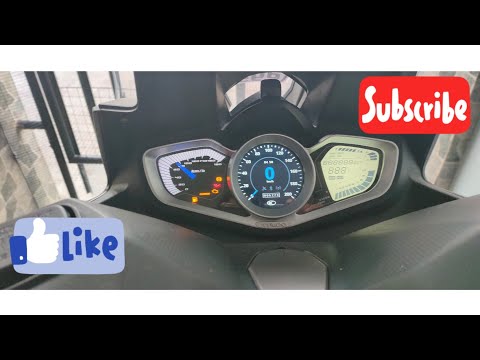
In this tutorial, you will see how to reset the oil service on the Kymco Xciting 400 scooter, a very simple and quick operation to perform only after completing all scheduled maintenance tasks. Start by inserting the key and turning on the instrument panel; then scroll through the various screens on the display using the directional arrows on the right knob. Once you reach the mileage display related to the service in question, press and hold the orange button for about 5 seconds, or for as long as necessary for the interval to reset correctly. by ScegliAuto More videos
|
|
For advertising on this site Write to info@scegliauto.com
ScegliAuto is not responsible for any inaccuracy of the data in the lists. To report any inaccuracy or your business (if you own the business in question), please write to info@scegliauto.com
Number of seconds to generate the page: 0.113
(c) ScegliAuto 2026 - info@scegliauto.com - Privacy policy VAT number: IT01247470535 |
