
|
Do it yourself
| |||
| ||||


|
Model: Piaggio Vespa Gts 300
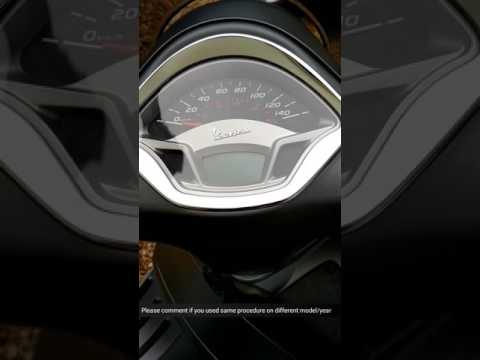
In this short and simple guide, you will learn how to adjust the clock and access the menu on the instrument panel of the Piaggio Vespa GTS 300. First, place the scooter on its centre stand and turn on the instrument panel; then press the left menu button to access the settings, as shown in the video. Now, use the arrow control to scroll through the settings options until you reach the clock setting and adjust it. Finally, exit the settings menu to save the changes made!
Updated on 9 September 2026 by ScegliAuto
Video tutorial
Related tutorials
Vespa Gts 300
To adjust the clock on the Piaggio Vespa GTS 300, you need to turn on the instrument panel and then navigate the menu that appears on the display by …

Vespa Gts 300
You can adjust the clock of the Piaggio Vespa GTS 300 by turning on the instrument panel and navigating through the menu displayed on the screen by p…
Vespa Gts 300
Today, you will see, in this short and simple guide, how to adjust the clock on the Piaggio Vespa GTS 300 scooter. First, place the scooter on its ce…
|
Replacing the Rear Light on a Harley Davidson Street Glide
In today's tutorial video, we will see how to remove and replace the rear light on a Harley Davidson Street Glide in simple and quick steps. First, place your bike on a stand and move to the rear; then use a socket and spanner to unscrew and remove the nuts found inside the wheel arch, at the height of the rear light, as shown in the video. At this point, disconnect the electrical connector to remove and replace the light with the new one; then reassemble everything, applying the reverse procedure! by ScegliAuto More videos
|
|
For advertising on this site Write to info@scegliauto.com
ScegliAuto is not responsible for any inaccuracy of the data in the lists. To report any inaccuracy or your business (if you own the business in question), please write to info@scegliauto.com
Number of seconds to generate the page: 0.071
(c) ScegliAuto 2026 - info@scegliauto.com - Privacy policy VAT number: IT01247470535 |
