
|
Do it yourself
| |||
| ||||


How to reset the AdBlue top-up warning on the Renault Trafic
Model: Renault Trafic
MK 3
- Years 2014-2026
These short and simple steps will show us how to reset the AdBlue liquid top-up warning on the Renault Trafic; to perform this operation, it will be necessary to use a specific diagnostic software. First, let's check the AdBlue liquid level, topping up if necessary with the appropriate canister or directly at the distributor; then we climb aboard the vehicle and turn on the instrument panel, connecting our diagnostic software. At this point, we follow the guided procedure to confirm and execute the reset of the AdBlue top-up warning.
Posted on 8 September 2024 by ScegliAuto
Video tutorial
Related tutorials
Renault Trafic
(2014-2026 /
MK 3)
The instructions in this guide will show us how to reset the AdBlue liquid top-up warning of the Renault Trafic Van. Before resetting the AdBlue warn…

Renault Trafic
(2014-2026 /
MK 3)
The following steps will allow us to reset the AdBlue fluid refill warning on the Renault Trafic; before resetting the warning light, it is necessary…

Renault Trafic
(2014-2026 /
MK 3)
It will be possible to reset the AdBlue warning light of the Renault Trafic by first performing a top-up with the necessary amount of additional flui…
Other guides you may be interested in
|
Frequently Asked QuestionsHow to Remove the Spark Plugs on an Opel Astra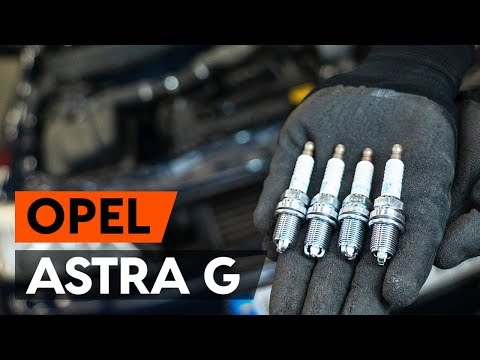
Want to remove the spark plugs on an Opel Astra? Here's how to proceed: pull the engine bay release lever and lift the front bonnet, securing it. Remove the plastic cover on the soundproofing panel covering the engine (if present), then remove the pins on the coil bar using a screwdriver. Disconnect the coils by hand after unplugging the power connector, then use your socket to unscrew the spark plugs and pull them out of the cylinder head. Take the new spark plugs and guide them into the engine head with the socket extension, tighten them and reconnect the respective power connectors. Finally, close the engine bay. by ScegliAuto More videos
|
|
For advertising on this site Write to info@scegliauto.com
ScegliAuto is not responsible for any inaccuracy of the data in the lists. To report any inaccuracy or your business (if you own the business in question), please write to info@scegliauto.com
Number of seconds to generate the page: 0.056
(c) ScegliAuto 2026 - info@scegliauto.com - Privacy policy VAT number: IT01247470535 |
