
|
Do it yourself
| |||
| ||||


How to reset the service light of the Renault Trafic 3
Model: Renault Trafic
MK 3
- Years 2014-2026
If you own a third generation Renault Trafic and want to learn how to correctly perform a manual reset of the service light, all you need to do is follow the procedure described in the following guide. First, you need to enter the interior of the vehicle, then turn on the instrument panel and locate the two buttons located at the end of the right steering wheel lever. Then press the upper button several times until the "Service intervals" screen is displayed on the display. Finally, hold down the previously used button and wait for the service light reset to be completed.
Posted on 21 September 2024 by ScegliAuto
Video tutorial
Related tutorials
Renault Trafic
(2014-2026 /
MK 3)
Thanks to the procedure described in the following guide aimed at all of you who own a 2022 Renault Trafic, we will explain how you can complete the …

Renault Trafic
(2014-2026 /
MK 3)
Let's see how to enable and disable the driving style indicator on the Renault Trafic III: this is a system designed to analyze and evaluate how a dr…

Renault Trafic
(2001-2014 /
MK 2)
The Service light that is shown on the instrument panel of the Renault Trafic can be reset by holding down the accelerator pedal while the instrument…
Other guides you may be interested in
|
Frequently Asked QuestionsHow to Replace a Damaged Wheel on a Nissan Qashqai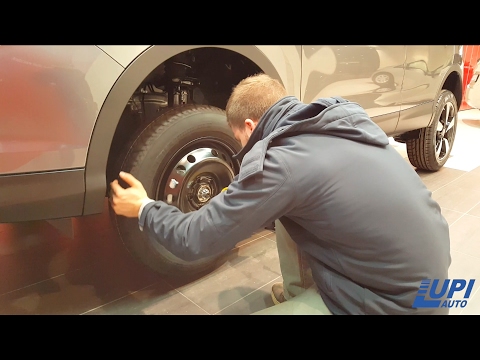
Learn how to replace a damaged wheel on a Nissan Qashqai: open the boot and take the wheel removal kit which includes: jack, jack lever, screwdriver, wheel nut key (if present), telescopic wrench, spare wheel. Position the jack under the jacking point of the vehicle (under the stiffest part of the chassis), lift the car slightly and loosen the wheel nuts. Raise the car with the jack lever and unscrew the nuts, then remove the damaged wheel. Fit the spare wheel onto the hub with the respective nuts and lower the car to the ground. Always remember to store the removal kit back in the boot. by ScegliAuto More videos
|
|
For advertising on this site Write to info@scegliauto.com
ScegliAuto is not responsible for any inaccuracy of the data in the lists. To report any inaccuracy or your business (if you own the business in question), please write to info@scegliauto.com
Number of seconds to generate the page: 0.102
(c) ScegliAuto 2026 - info@scegliauto.com - Privacy policy VAT number: IT01247470535 |
